How to Get Apple Receipts (2026): App Store and Apple Store
Get an Apple receipt for an app or subscription at reportaproblem.apple.com or in your email, and an Apple Store order invoice from your Order Listing page.
 Eric Tech·Oct 21, 2026·8 min read·
To get an Apple receipt for an app or subscription, search your email for "receipt from Apple", or sign in at reportaproblem.apple.com to see your full purchase history. For an Apple Store online order, open your Order Listing page on apple.com, select the item and click View Invoice. For a walk-in store purchase, find the emailed receipt or call Apple.
App and subscription receipts live in purchase history. Hardware invoices live on your Order Listing page.
Jump to:
- Step 1: Email
- Step 2: Purchase history online
- Step 3: On your device
- Step 4: Apple Store orders
- Step 5: In-store purchases
- Step 6: Match the charge
Step 1: Search your email for the receipt
The steps here come from Apple's own support and shopping help pages.
Apple emails a receipt for App Store and other Apple media purchases. Its support page on unexpected charges says to search your email for the words "receipt from Apple" or "invoice from Apple."
- Match the amount to the charge on your card statement.
- The receipt shows what was bought and which Apple Account bought it.
- A charge still pending? Wait for the email receipt to arrive.
One receipt can cover several purchases. Apple may group more than one purchase or subscription into one bill, so the total won't always match a single app's price.
Step 2: Open purchase history at reportaproblem.apple.com
No email? Apple's page View your purchase history gives the web steps:
- Go to reportaproblem.apple.com.
- Sign in with your Apple Account to see a list of your purchases.
- Not sure what was bought but know the amount? Search for the amount.
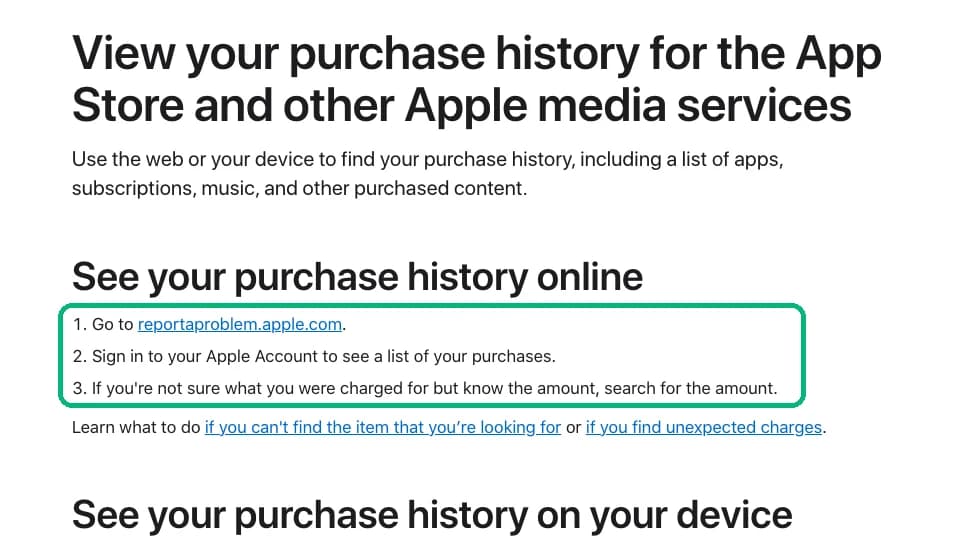
The same list covers apps, subscriptions, music and other purchased content. Searching by amount is the fastest way to tie a statement line to a purchase.
Step 3: Check purchase history on your device
Same history, from the device in your hand. Apple's steps on the same page:
| Device | Where to tap |
|---|---|
| iPhone or iPad | App Store, then your photo or initials, then Apps & Purchase History, then Purchase History |
| Mac | App Store, then your name at the bottom of the sidebar, then Apps & Purchase History, then Purchase History |
| Windows PC | Apple Music or Apple TV app, then your name, then View My Account, then Purchase History |
The list opens on the last 90 days. Tap that filter to look further back.
Can't find a purchase? Apple says you may have used a different Apple Account. Sign in to the other one and check again. In a Family Sharing group, Apple says the family organizer can see members' charges too.
Step 4: Get the invoice for an Apple Store online order
A Mac, iPhone or accessory ordered on apple.com gets an invoice, not an App Store receipt. Apple's Viewing and Changing Orders help page says:
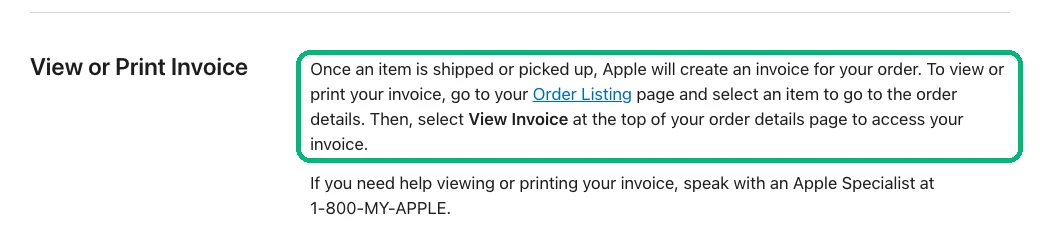
- Wait until the item has shipped or been picked up. Apple creates the invoice then.
- Go to your Order Listing page and sign in with your Apple Account.
- Select the item to open the order details.
- Click View Invoice at the top of the order details page, then print or save it as a PDF.
Ordered as a guest? Apple says you can sign in with your order number and the email address you used.
Save the invoice when the order ships. A business laptop or phone is a large purchase, and you'll want the invoice for your records long after the box is gone.
Step 5: Find a receipt for an in-store purchase
Bought it in person at an Apple Store? Start with your inbox: look for an email from Apple sent the day you bought it, or find the paper receipt.
Apple's help pages we checked don't describe a self-serve reprint for walk-in purchases. If the email is gone, call Apple at 1-800-MY-APPLE, the number Apple lists for order help, or ask the store where you bought it.
Step 6: Match the apple.com/bill charge on your statement
On a card statement, App Store and subscription charges usually show as apple.com/bill. Apple's page on apple.com/bill charges says one can be for apps, subscriptions, music and movie purchases and more.
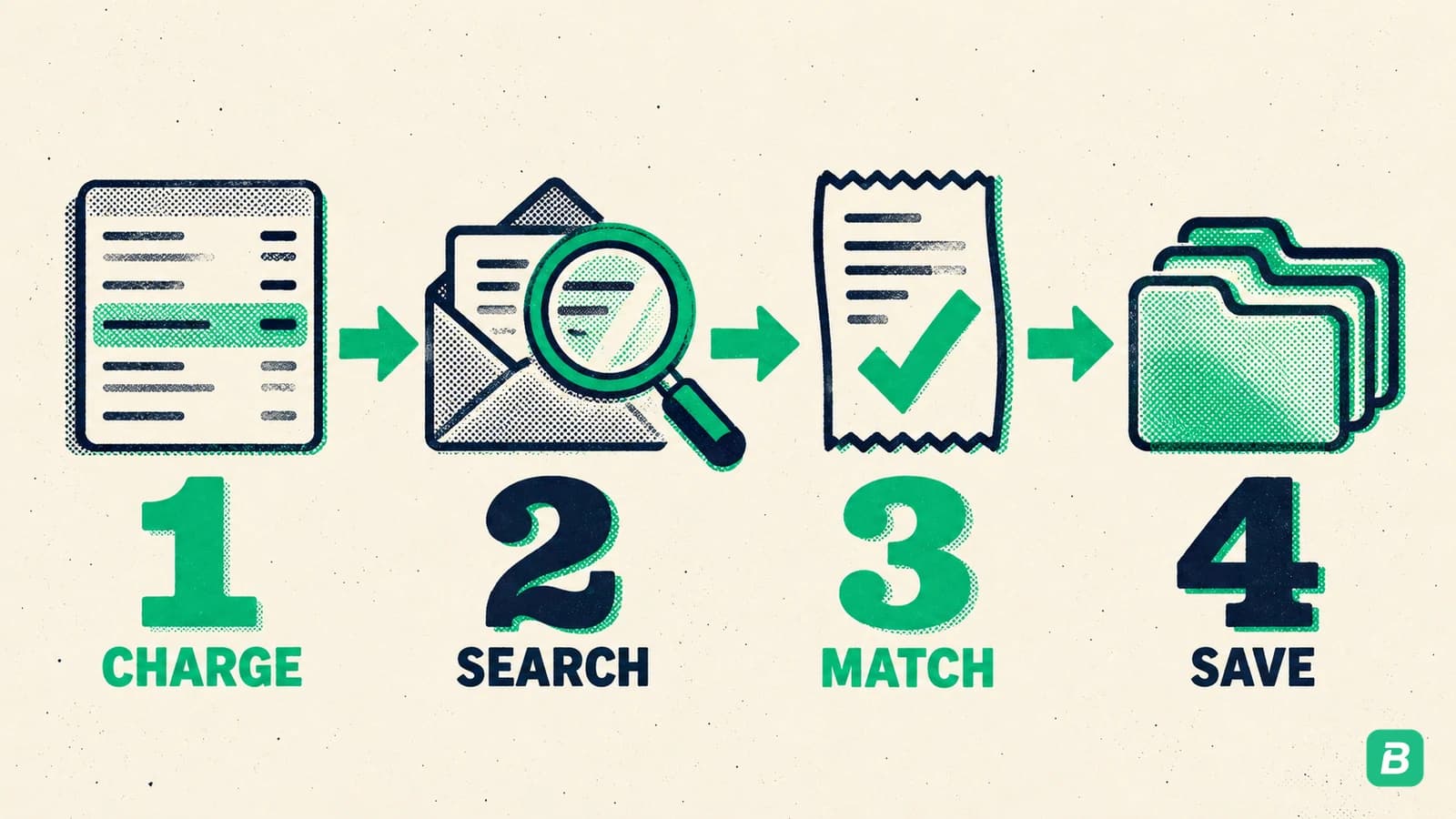
- Charge: note the date and amount on the statement.
- Search: look for that amount in your email or at reportaproblem.apple.com.
- Match: confirm the date and the Apple Account.
- Save: keep the receipt with your books.
For the rest of the statement, our guide to reading a credit card statement explains each section.
Got your Apple receipt?
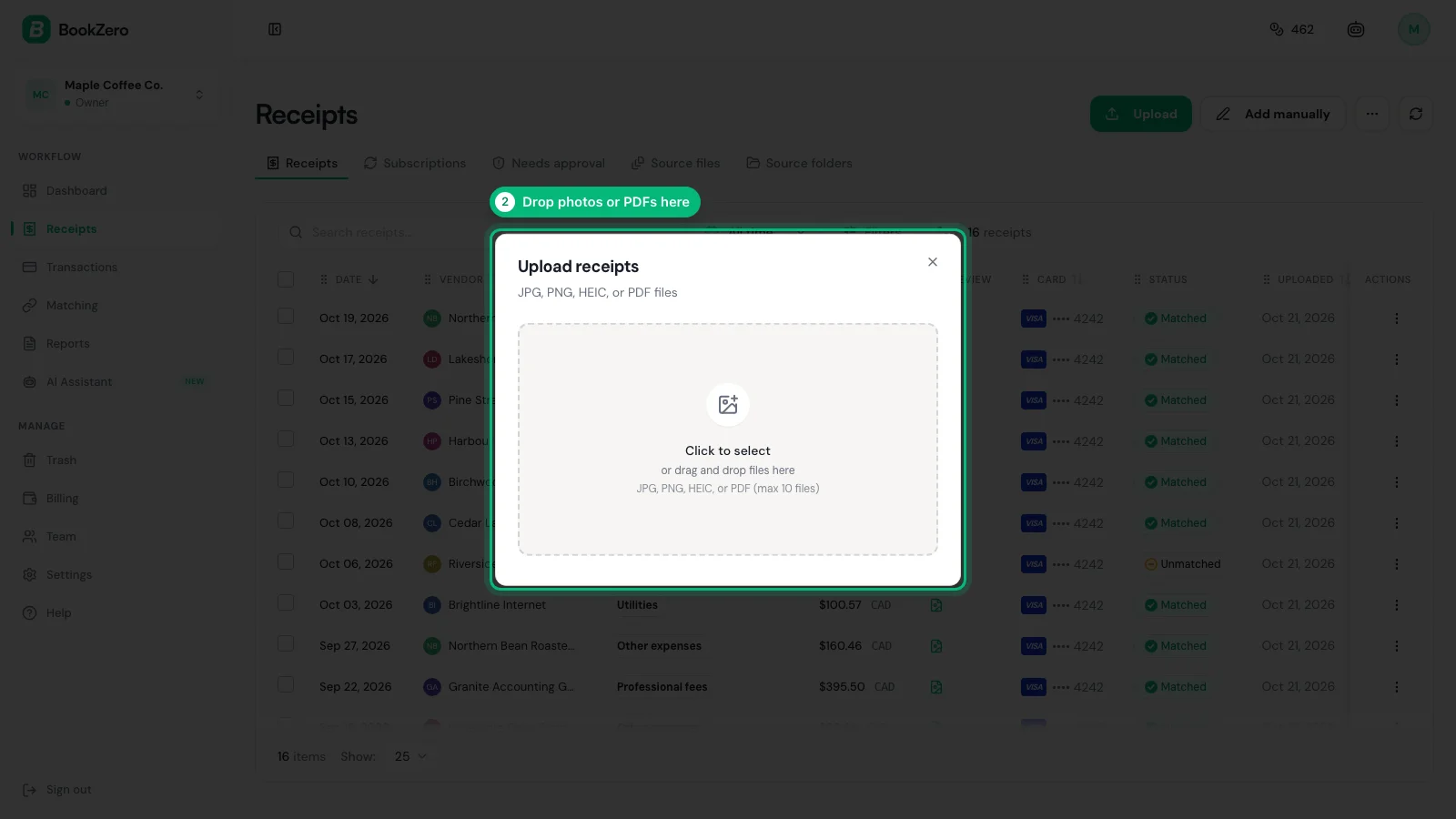
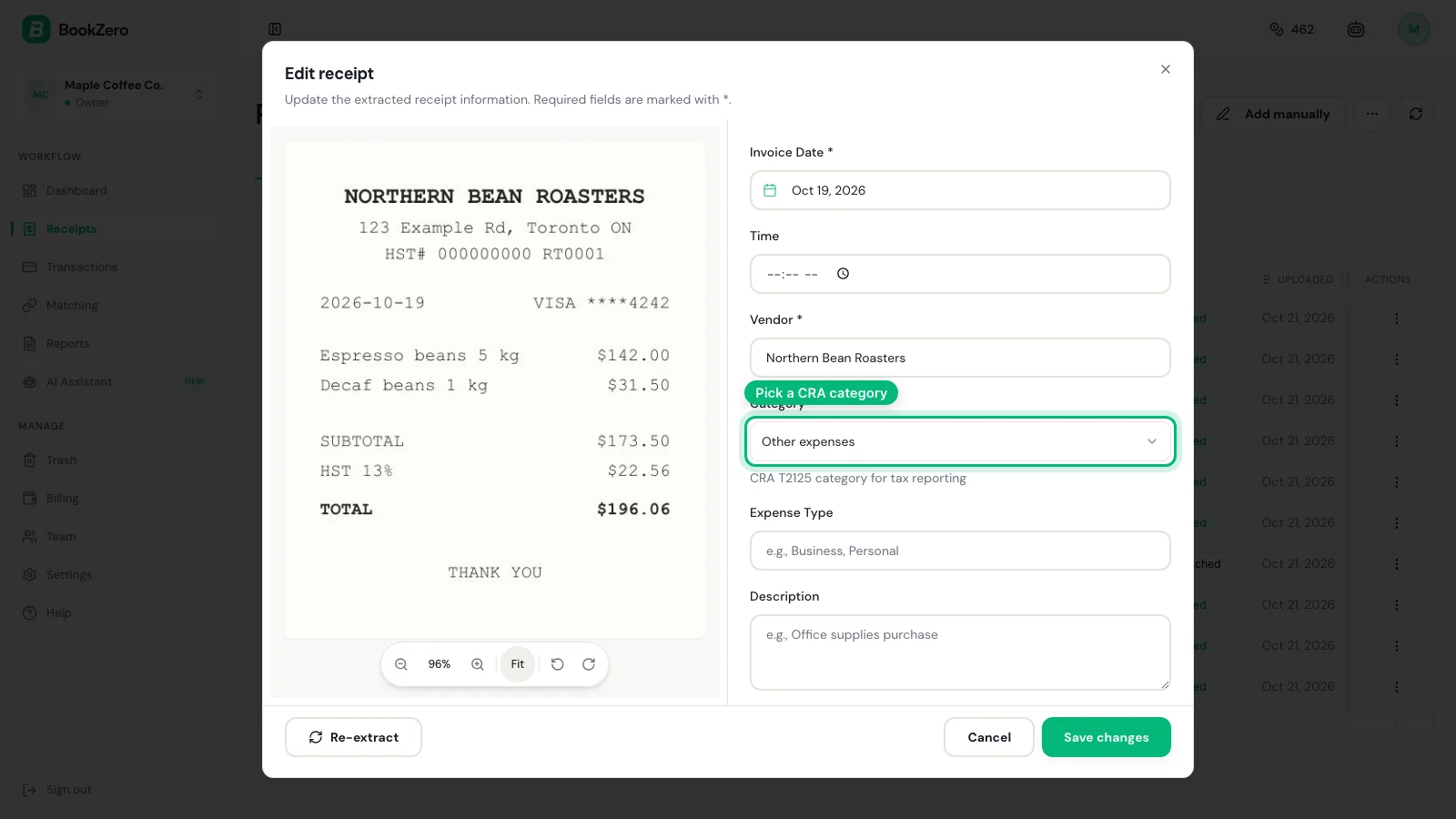
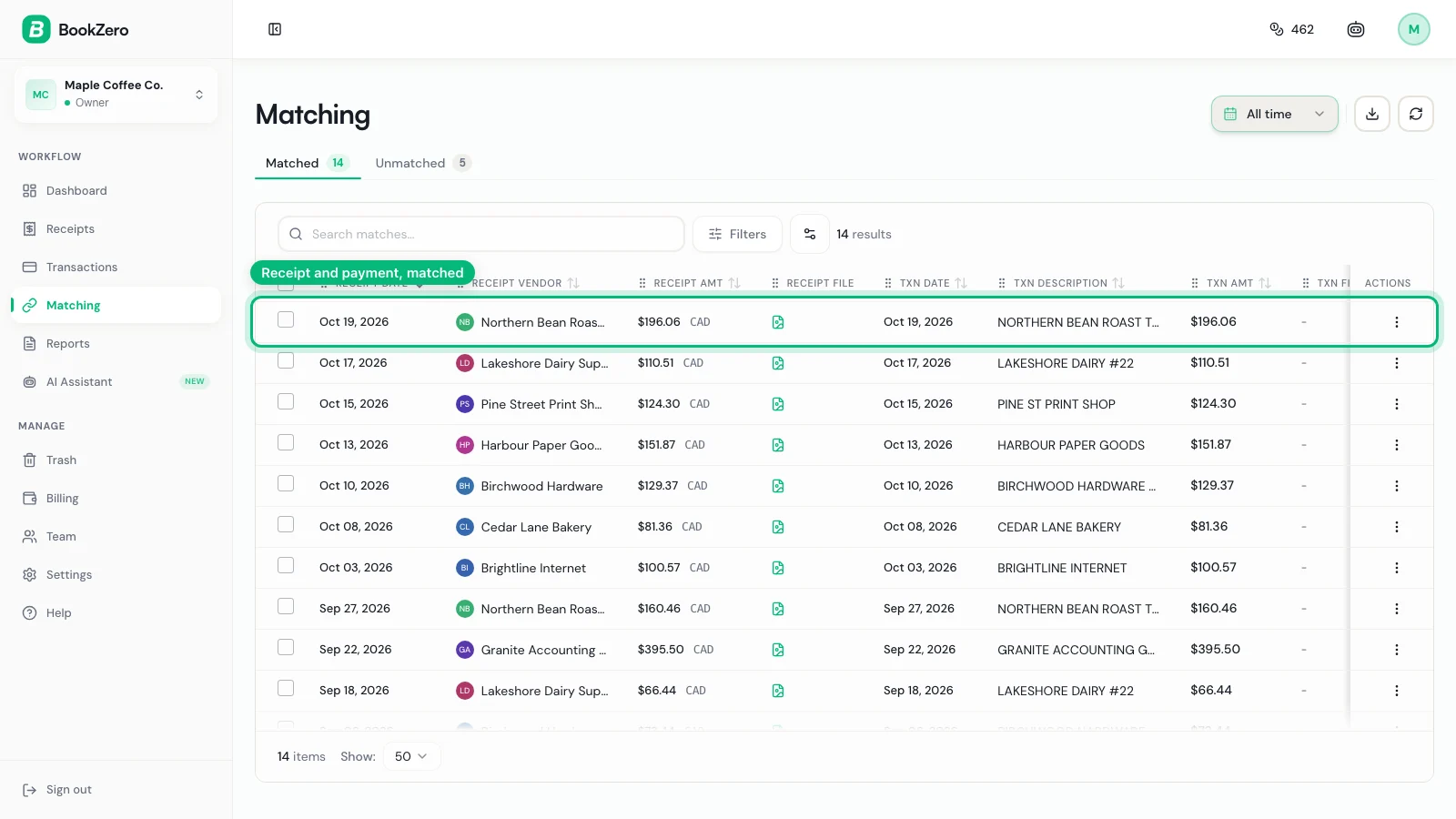
Send it to BookZero. Upload the PDF or screenshot, and it reads the merchant, date and total and matches it to the apple.com/bill charge on your statement.


Paying for several apps every month? Our subscription tracking guide shows how to keep them in one list.
Tax Notes for the US and Canada
This guide is for informational purposes only and does not constitute tax advice. Consult a qualified tax professional for your specific situation.
United States (IRS)
IRS Publication 583 accepts a card statement as proof of payment, but says proof of payment of an amount, by itself, does not establish you are entitled to a tax deduction. The Apple receipt shows what you bought, so keep it with the statement.
Software and subscriptions used for the business are deductible business costs; our Schedule C categories guide helps you pick the line. The IRS records page says to keep records 3 years in most cases.
Canada (CRA)
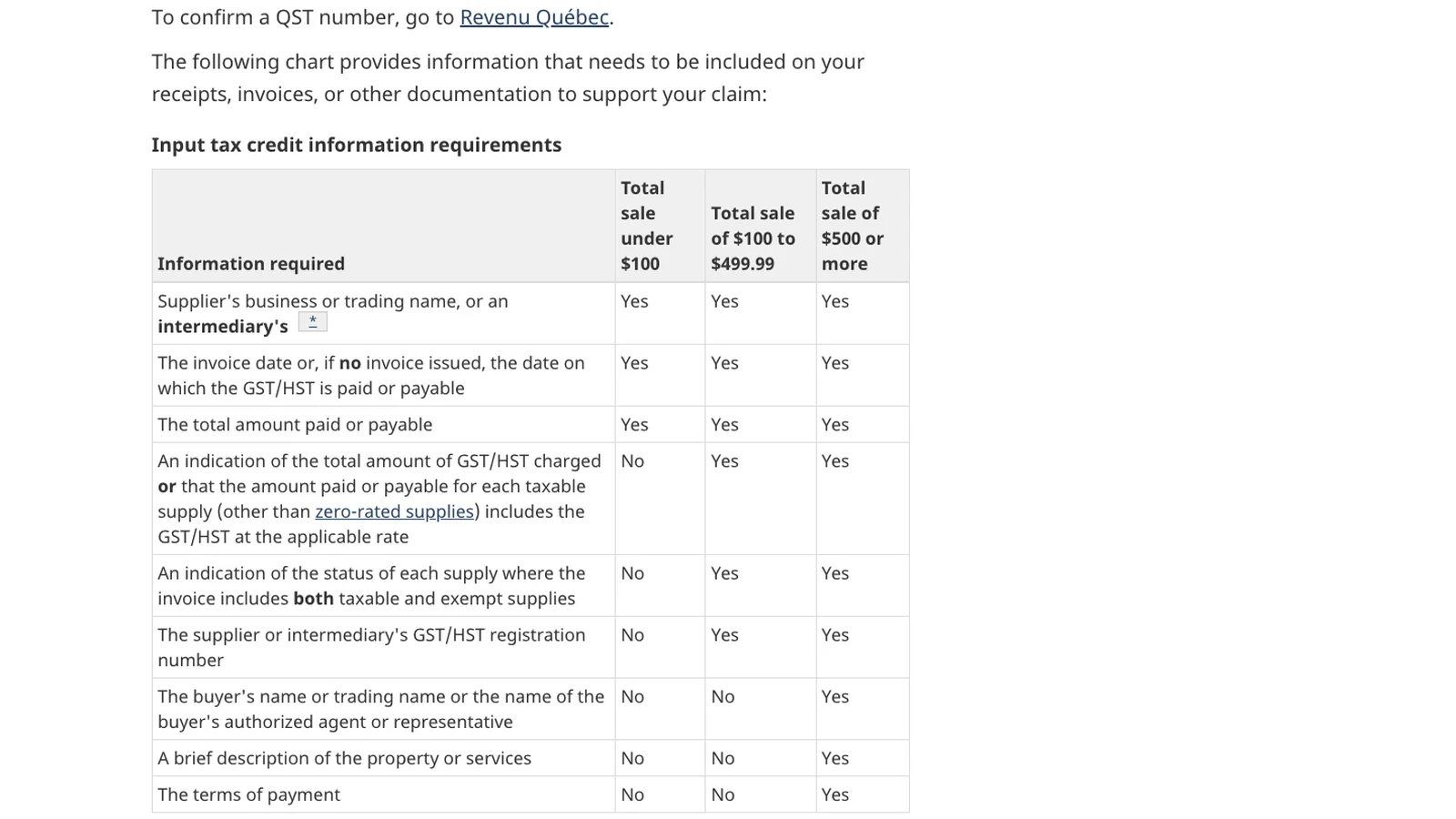
To claim GST/HST back on a purchase, the CRA's input tax credit rules set what the receipt must show, and the list grows with the amount.
The CRA says to keep records and supporting documents for six years (CRA record retention). Our CRA record-keeping guide covers the rest.
Frequently Asked Questions
How do I get a receipt from Apple?
For an app, subscription or other media purchase, search your email for receipt from Apple, or sign in at reportaproblem.apple.com to see your purchase history. For an Apple Store online order, open your Order Listing page on apple.com, select the item and click View Invoice.
How do I find an Apple receipt by amount?
Sign in at reportaproblem.apple.com with your Apple Account and search for the amount. Apple's support page says this is the way to find a purchase when you know what you were charged but not what it was for.
How do I get an Apple Store receipt or invoice?
For an apple.com order, Apple creates an invoice once the item ships or is picked up. Go to your Order Listing page, select the item, and click View Invoice at the top of the order details. Guests can sign in with the order number and email address.
Why does my statement say apple.com/bill?
Apple says a charge from apple.com/bill can be for apps, subscriptions, music and movie purchases and more. Apple may group several purchases into one charge, so look the amount up in your purchase history.
Why can't I find a purchase in my Apple purchase history?
Apple says you may have bought it with a different Apple Account, so sign in to the other account and check again. Also widen the filter, because the history opens on the last 90 days.

Eric Tech· Founder, BookZero.ai
Founder of BookZero. Building AI-powered bookkeeping tools for US and Canadian freelancers and small businesses.
View all postsStay ahead of tax season
Tax tips, deduction strategies, and feature announcements straight to your inbox. No spam, unsubscribe anytime.