Subscription tracking for freelancers and small businesses
Track recurring software and service charges from your receipts and bank statements: what each vendor has cost, which billing periods lack a receipt, and what the CRA and IRS expect you to keep.
 Eric Tech·Oct 20, 2026·Updated Oct 21, 2026·7 min read·
Subscription tracking means listing every vendor that bills your business on a schedule, what each one has cost, and which billing periods still lack a receipt. BookZero builds that list from the receipts and bank statements you already import, so there is no renewals spreadsheet to keep.
The statement proves you paid; the receipt proves what you bought. Track both for every recurring vendor.
Jump to:
Step 1: Import statements and receipts
A monthly design tool, a quarterly hosting bill and an annual domain renewal each send a receipt by email, if they send one at all. Start with what you have:
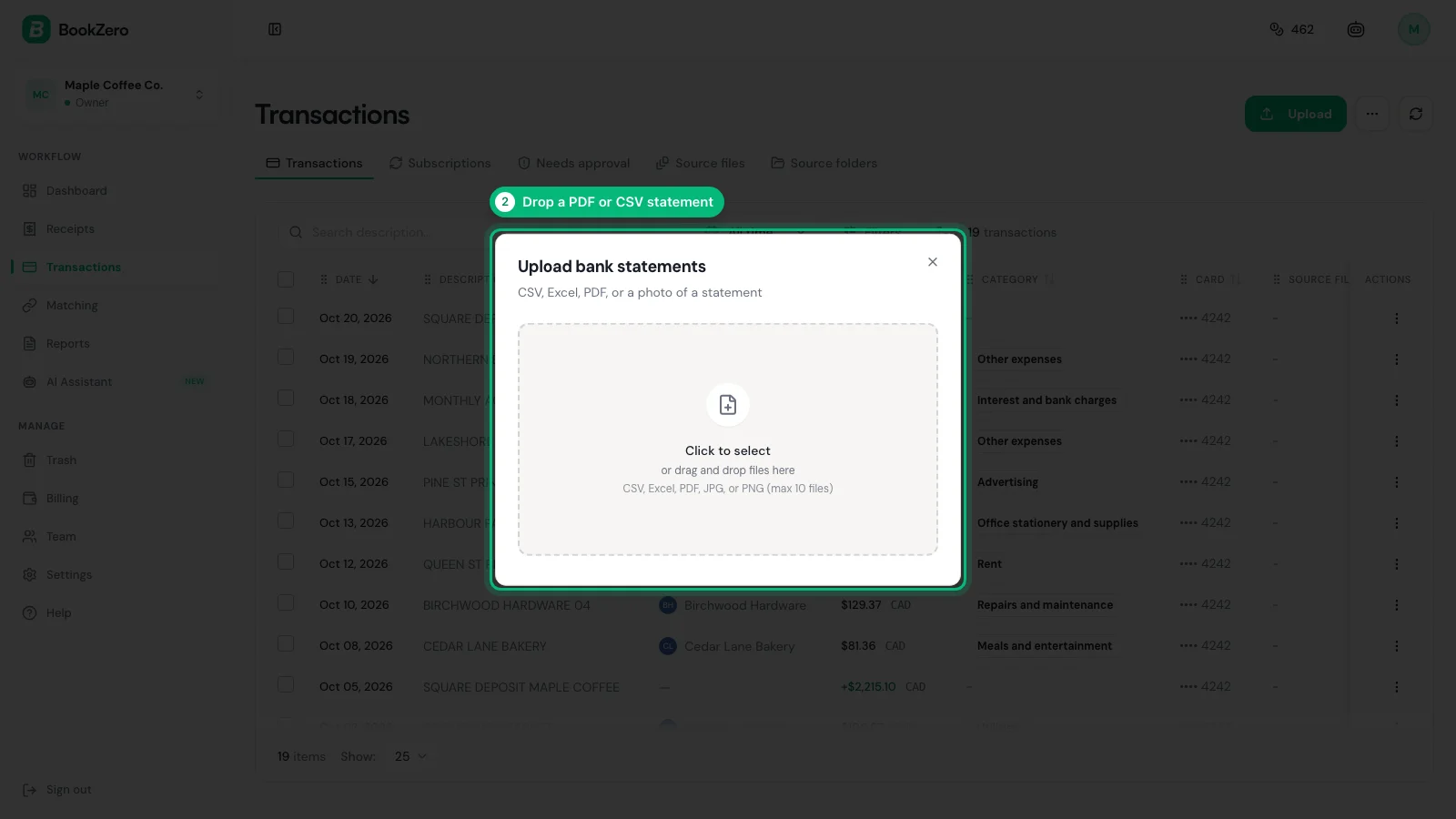
- Import the latest bank or card statement.
- Upload the receipts and invoices you already have.
No bank connection is needed. Either source alone builds its own Subscriptions tab.
Step 2: Let BookZero find the recurring vendors
A vendor counts as a subscription when all three hold:
- At least three charges from the same vendor.
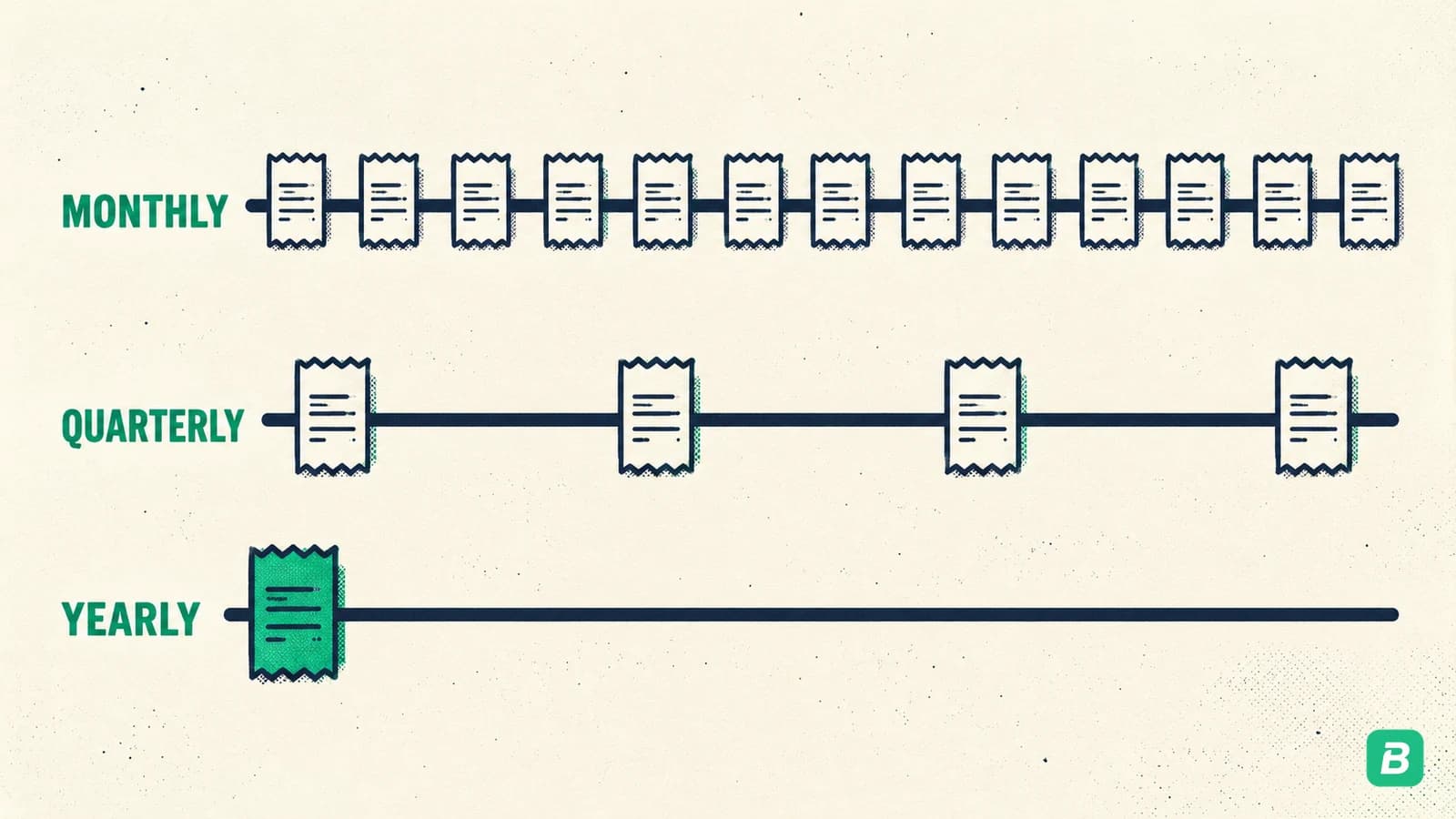
- A steady gap between charges: about a month (28 to 31 days), a quarter (88 to 93 days) or a year (360 to 370 days).
- Similar amounts. A small price rise still counts; ordinary shopping at the same store does not.
Detection reruns after every import and reads about three years of history. Vendor names are normalized first, so one service spelled two ways counts once.
Vendors billing on an irregular schedule, such as every six weeks, are not guessed at. They stay in your normal expense records.
Step 3: Read the subscription list
The Receipts page and the Transactions page each have a Subscriptions tab. The Receipts tab reads uploaded receipts; the Transactions tab reads statement lines. Comparing the two shows where the paperwork and the payments disagree.
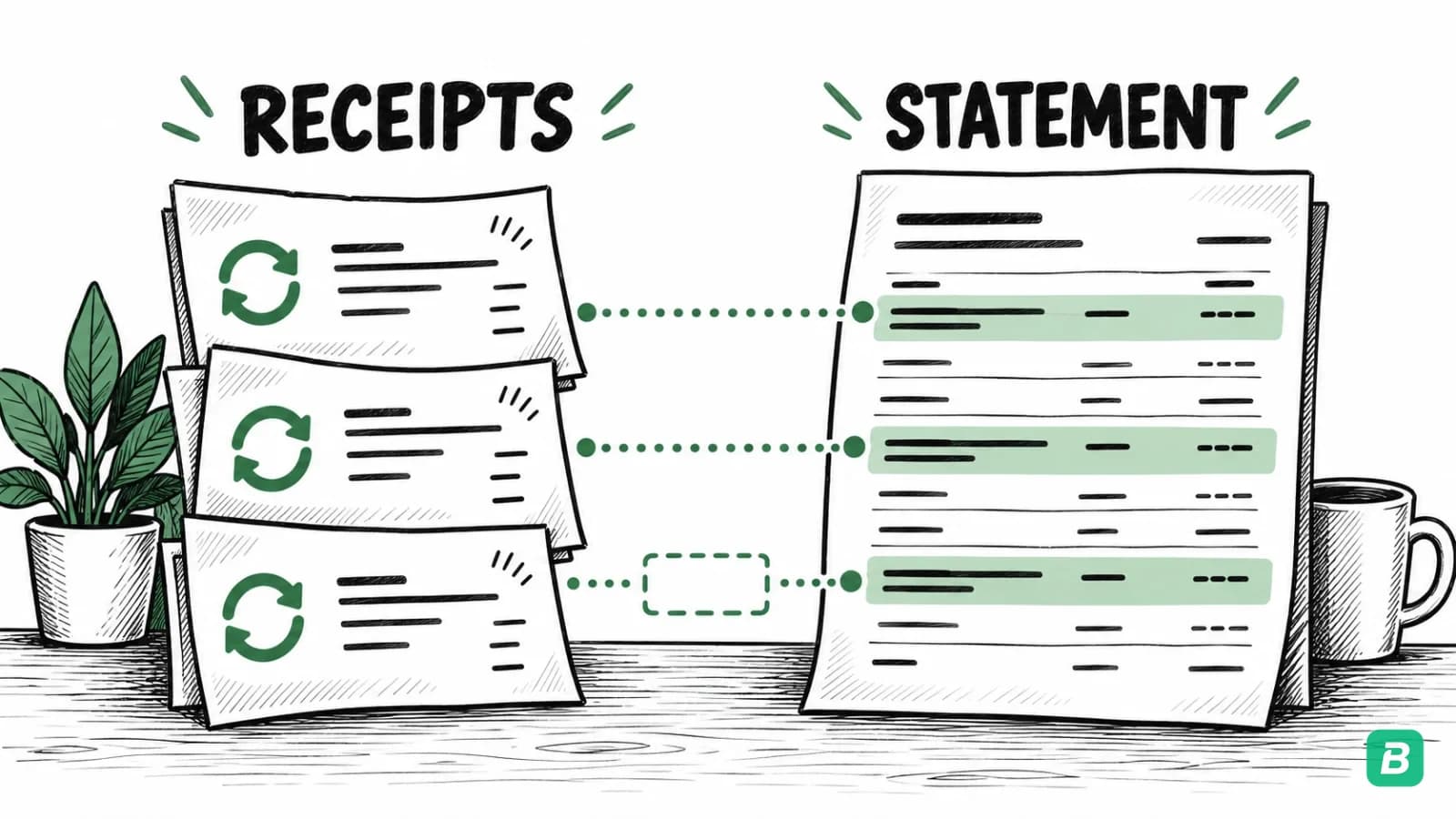
For each vendor the list shows:
- Cadence: monthly, quarterly or annual.
- Charges: billing periods actually paid.
- Missing: periods where a charge was expected and nothing was recorded.
- Total spent: the sum of real charges, not plan price times months.
Sort by total spent to find the recurring costs worth questioning. A Breakdown view charts the same vendors by amount or by number of charges.
Step 4: Fill the missing receipts
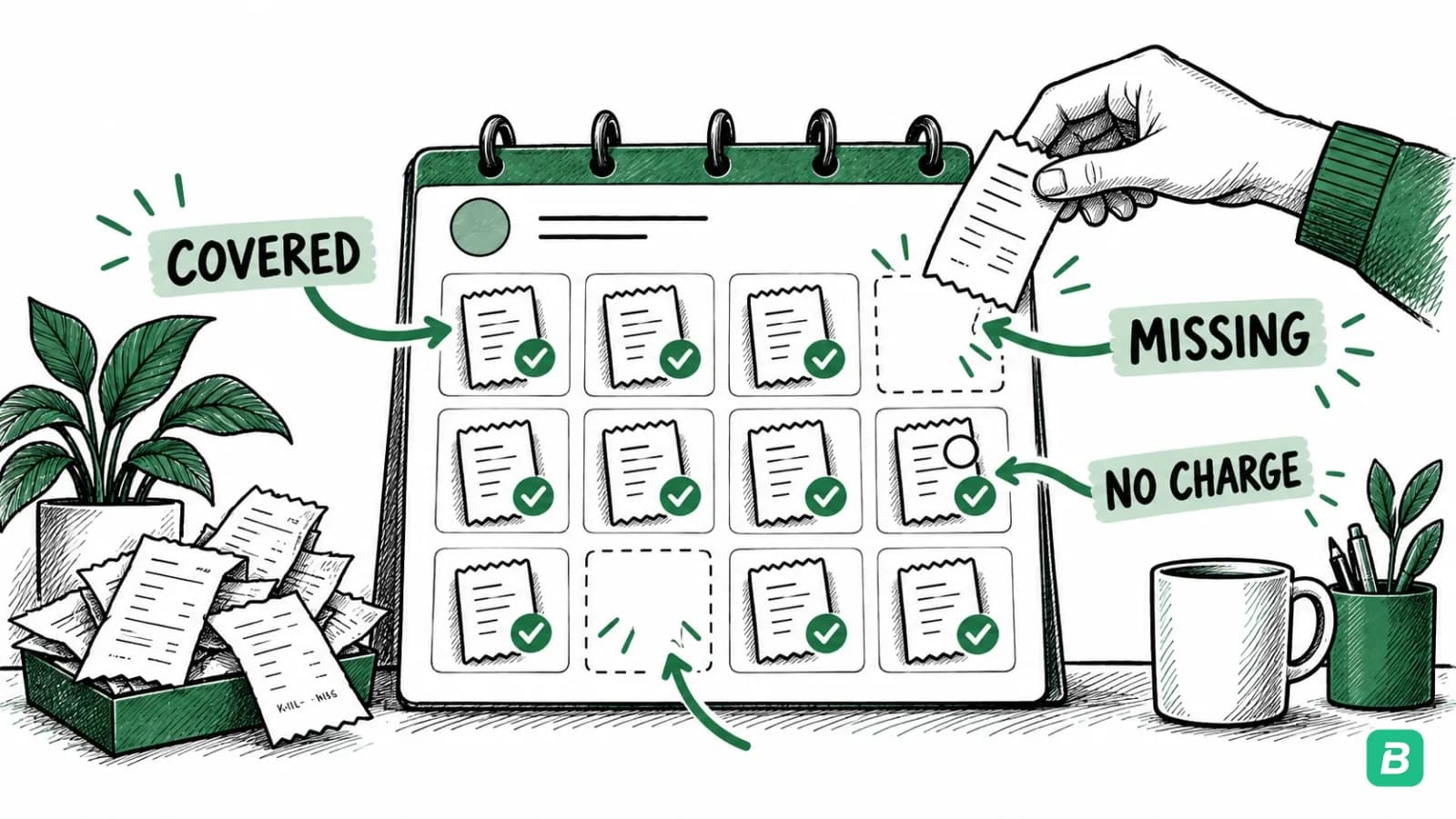
Open a vendor's month grid from the Missing column. It marks every expected period as covered or not.
- From a missing period, upload the receipt with the vendor, date and amount filled in, then check them against the document.
- Missing periods on the receipts side also appear in the dashboard's needs-attention list.
- A free or paused month can be marked as no charge, and it stops counting as missing.
Step 5: Mark cancelled services as ended
When two expected periods in a row pass with nothing recorded, BookZero treats the subscription as ended and stops reporting gaps for it.
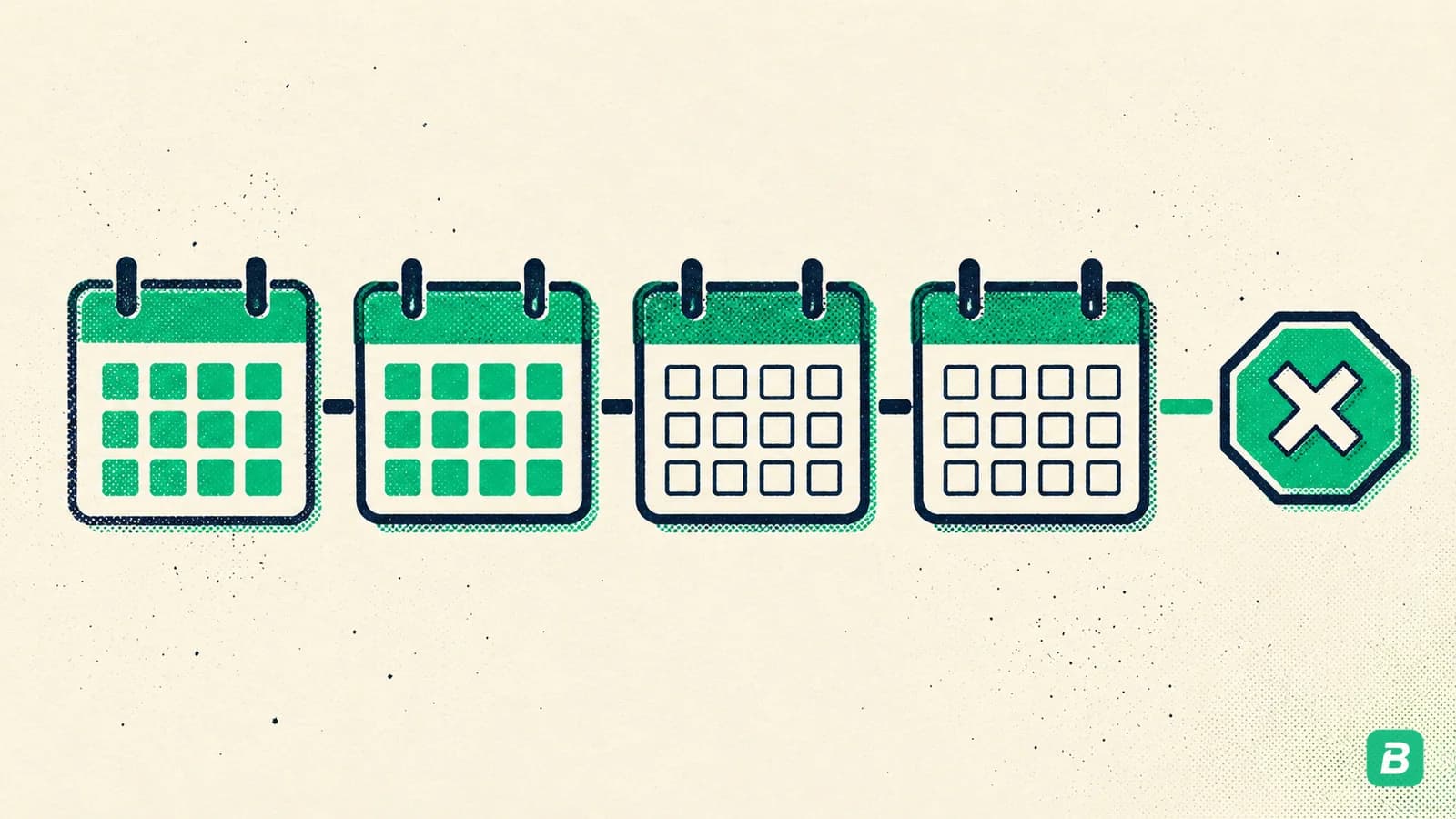
You can also end one yourself from its month grid. A manual end sticks, even when later imports rerun detection.
BookZero does not cancel anything with the vendor. Cancel there first.
Step 6: Keep what the CRA and IRS ask for
A statement line shows money left your account. It does not show what you bought or the tax charged.
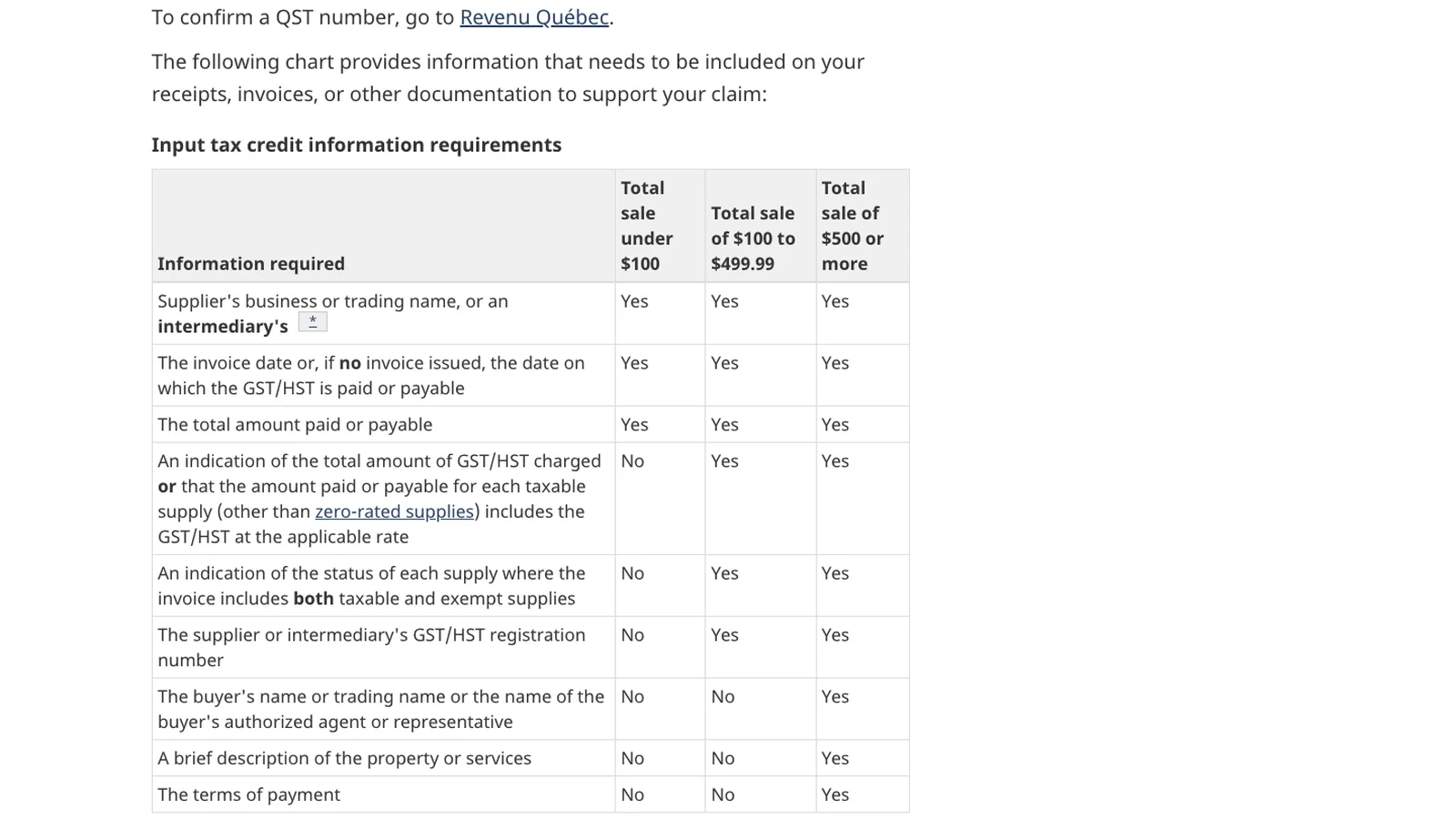
In Canada, the CRA input tax credit rules set what the document must show:
- From $100, the supplier's GST/HST registration number.
- From $500, also your name, a description and the terms of payment.
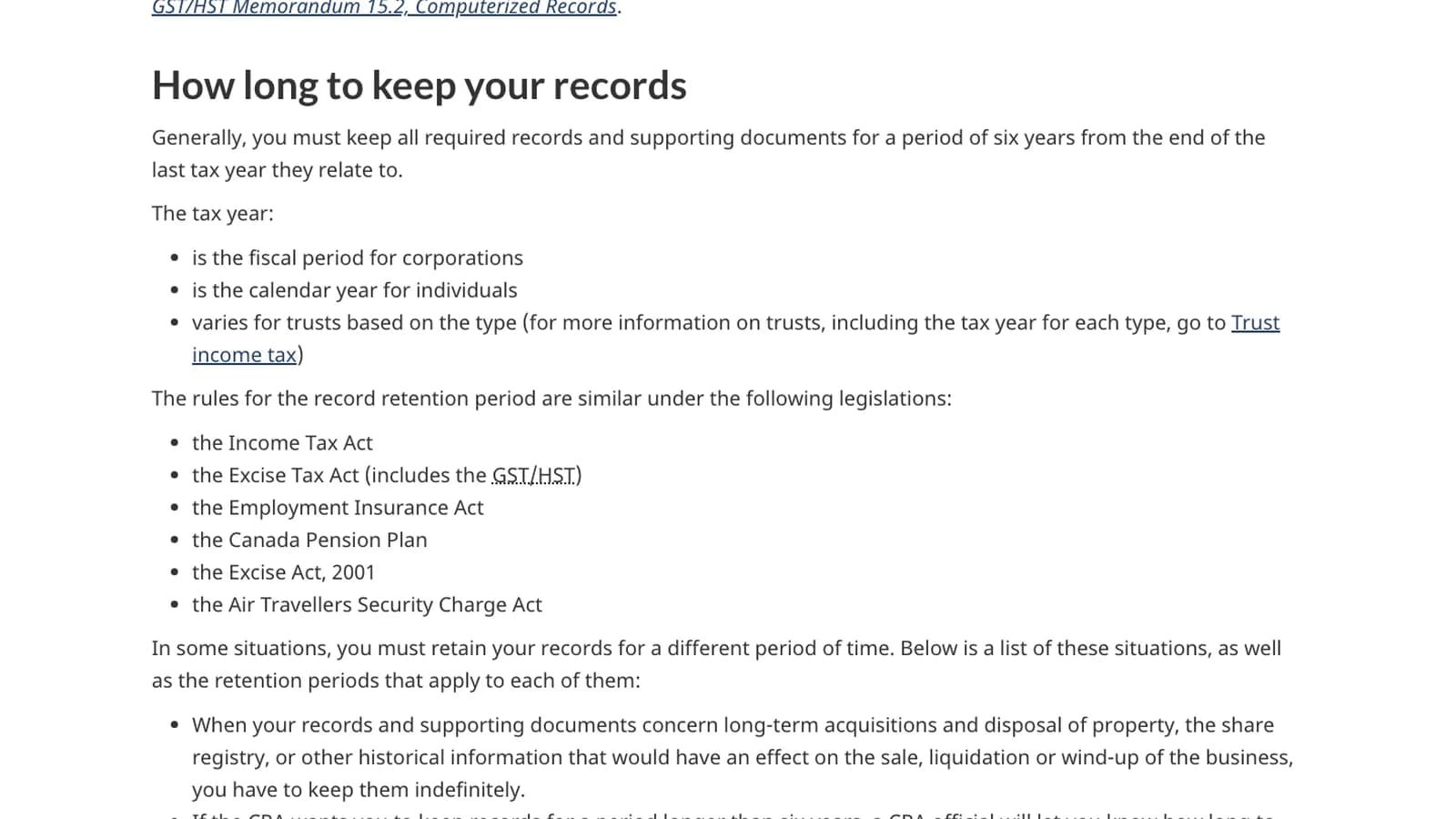
Keep those records six years from the end of the year they relate to, per the CRA. The IRS generally asks for three years after you file.
Where the expenses go: the T2125 guide for Canada and the Schedule C categories guide for the US. For the weekly habit, see the self-employed expense tracker guide, and keep the invoices in a receipt organizer.
See every recurring charge and the receipts still missing behind it.


Frequently Asked Questions
Do I need to connect a bank account for subscription tracking?
No. BookZero detects subscriptions from the receipts you upload and the bank or card statements you import. Either source on its own is enough to build that source's Subscriptions tab.
How many charges does BookZero need before it shows a subscription?
Three charges from the same vendor, spaced monthly, quarterly or annually, with amounts that stay close to each other. Fewer charges cannot show a reliable schedule.
Does BookZero cancel subscriptions for me?
No. BookZero tracks recurring charges and their receipts. You cancel a service with the vendor, then mark it as ended in BookZero if you do not want to wait for two missed periods.
Will a price increase break subscription detection?
A modest change, such as a tax rate change or a plan price increase, still counts as the same subscription. Charges that vary widely from one period to the next are treated as ordinary purchases instead.
What must a Canadian subscription invoice show to claim the GST/HST?
For a purchase of 100 dollars or more, the supplier's GST/HST registration number. From 500 dollars, also your name, a description of the service and the terms of payment, according to the CRA.
Can I track subscriptions in Canadian and US businesses?
Yes. Detection works from dates and amounts on your own records, so it applies to Canadian and US workspaces alike.

Eric Tech· Founder, BookZero.ai
Founder of BookZero. Building AI-powered bookkeeping tools for US and Canadian freelancers and small businesses.
View all postsStay ahead of tax season
Tax tips, deduction strategies, and feature announcements straight to your inbox. No spam, unsubscribe anytime.