How to Get Uber Receipts & Invoices (2026): Complete Guide
How to download, print, and organize Uber receipts and invoices. Covers the app, email, riders.uber.com, PDF downloads, and Canadian tax rules.
 Eric Tech·Mar 24, 2026·Updated Sep 30, 2026·12 min read·
Why Uber Receipts Matter
Every Uber trip generates a receipt — and if you are a business traveler, freelancer, or gig worker, those receipts are money. Business rides are tax-deductible. Uber driver expenses reduce your taxable income. But without the actual receipt, you cannot claim the deduction.
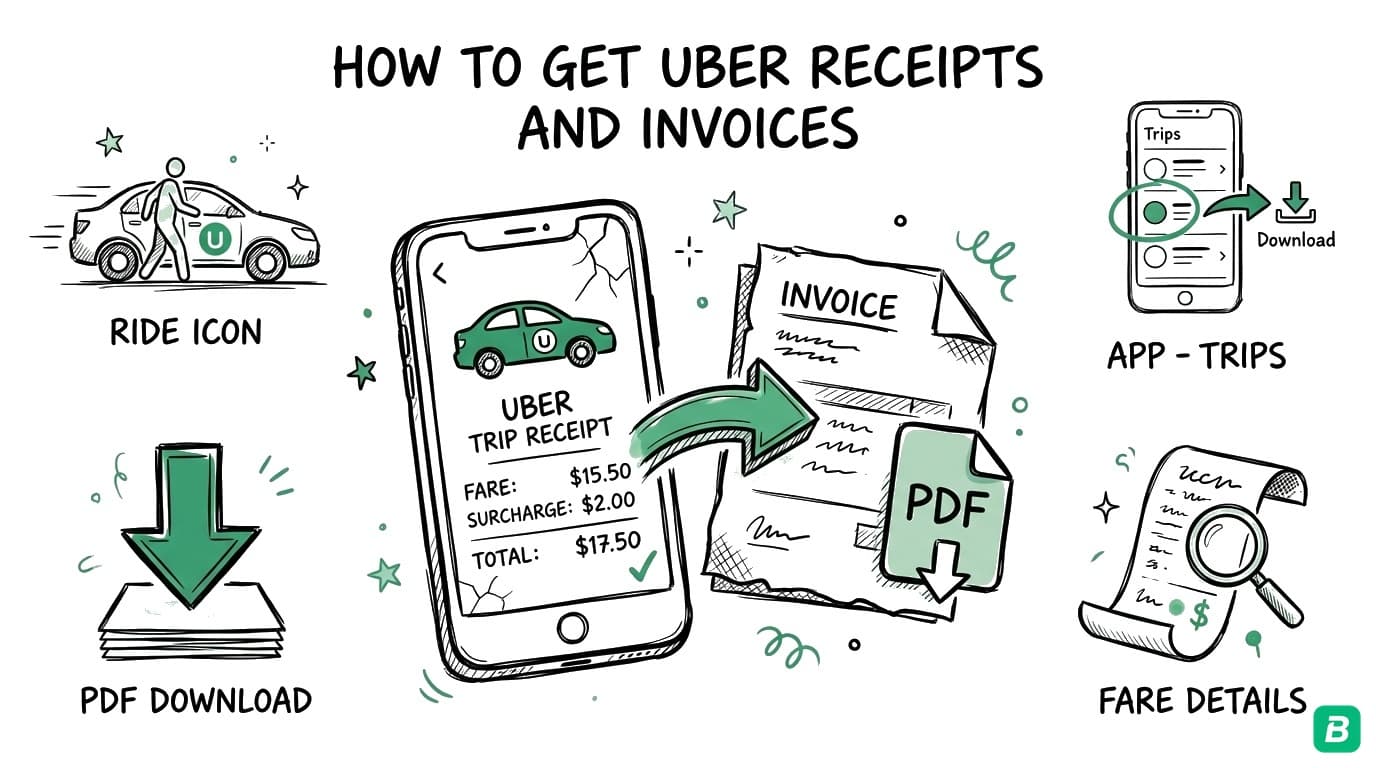
Uber receipts contain the trip date, route, fare breakdown, surge pricing, tips, tolls, payment method, and a unique trip ID. Whether you need one receipt for an expense report or a full year of receipts for tax filing, this guide covers every method available in 2026.
This guide is for informational purposes only and does not constitute tax advice. Consult a qualified tax professional for your specific situation.
How to Get Uber Receipts as a Rider
Method 1: From the Uber App (Mobile)
The fastest way to get any Uber receipt.
On iPhone or Android:
- Open the Uber app and tap the profile icon in the bottom-right corner.
- Tap "Activity" (or "My Trips" depending on your app version).
- Select the trip you need a receipt for. The trip detail screen shows your route, fare breakdown, and payment method.
- Tap "Get receipt" at the bottom of the trip detail. Uber emails the receipt to your registered email address.
- Alternatively, tap "Get PDF" if available — this downloads the receipt directly to your device as a PDF file.
The trip detail screen itself contains all the information you would find on the emailed receipt, so you can also screenshot it for quick reference.
Method 2: From riders.uber.com (Desktop)
This is the best method for reviewing multiple trips or downloading receipts in bulk.
- Go to riders.uber.com in your web browser.
- Log in with your Uber account credentials.
- Click "My Trips" in the navigation menu.
- Select the trip you need. The trip detail page displays the full fare breakdown.
- Click "Request Invoice" or "Get Receipt" to have it sent to your email.
- To save as PDF: use your browser's print function (Ctrl+P / Cmd+P) and select "Save as PDF" as the destination.
The riders.uber.com website lets you page through your entire trip history. For tax season, open each trip in a new tab, then use the browser print function to save each as a PDF. It is not a true bulk export, but it is significantly faster than going through the app one trip at a time.
Method 3: Check Your Email
Uber automatically sends a receipt to your registered email after every completed trip. To find them:
- Search for: "Your trip with Uber" or "Uber receipt"
- From address: uber.us@uber.com or noreply@uber.com (varies by region)
- Check: Spam, Promotions (Gmail), or Junk folders
Each email receipt includes a complete fare breakdown, trip map, and a link to view the trip in your Uber account.
Method 4: Uber for Business
If your company uses Uber for Business, receipts may be handled differently:
- Receipts go to your company's expense system automatically if your admin has configured it.
- You can still access personal copies through the Uber app or riders.uber.com using the methods above.
- Company profiles appear as a separate payment option in the app — rides on the business profile are billed directly to your employer and receipts flow to them.
Check with your company's finance team if you do not see Uber for Business receipts in your personal account.
How to Print Uber Receipts
Uber does not include a built-in print button, but there are several straightforward approaches.
Print from Email
- Open the Uber receipt email in your email client.
- Click Print (Ctrl+P / Cmd+P).
- Select your printer or choose "Save as PDF" for a digital copy.
Print from the Website
- Go to riders.uber.com and navigate to the trip.
- Right-click on the trip detail page and select Print (or use Ctrl+P / Cmd+P).
- Choose "Save as PDF" if you want a clean digital file.
Download a PDF Receipt
Some trips in the Uber app show a "Download PDF" or "Get PDF" option directly on the trip detail screen. This generates a formatted PDF receipt that is ready to print or attach to an expense report. If this option is not visible for a particular trip, use the email or website print methods above.
How to Get Uber Receipts as a Driver
Uber drivers need receipts for two purposes: documenting earnings and tracking deductible business expenses.
Accessing Your Earnings and Trip History
- Open the Uber Driver app and tap the earnings tab at the bottom.
- Select a week to view your detailed earnings breakdown — ride fares, tips, promotions, Uber's service fee, and your net payout.
- Tap on individual trips to see the fare details for each ride you completed.
Downloading Tax Documents
- Log in to drivers.uber.com on your computer.
- Navigate to "Tax Information" or "Tax Summary" in the menu.
- Download your annual tax summary — this document shows your gross earnings, Uber fees, and other figures needed for tax filing.
- In the US, your 1099 forms are available here if you met the earnings threshold.
- In Canada, Uber provides an annual tax summary but does not issue T4 slips (you are self-employed).
The CRA and IRS require you to report your gross ride earnings — the total fares before Uber takes its commission. You then deduct Uber's service fee as a business expense. Do not report only your net payout, as this underreports your income and can trigger audit issues.
Tracking Your Driver Expenses
As an Uber driver, your deductible expenses are substantial: gas, vehicle maintenance, insurance, phone plan, car washes, parking, and more. For every expense:
- Keep the receipt — digital or paper.
- Record the date, amount, vendor, and business purpose.
- Separate personal and business use for shared expenses (phone, vehicle, insurance).
For the complete list of deductions available to Uber drivers in Canada, see our detailed Uber driver tax deductions guide. If you also deliver for DoorDash or Uber Eats, our delivery driver tax deductions guide covers platform-specific details.


What Information Is on an Uber Receipt?
Every Uber ride receipt includes these fields:
| Field | Details |
|---|---|
| Trip date and time | Date, pickup time, dropoff time |
| Pickup location | Street address or landmark |
| Dropoff location | Street address or landmark |
| Trip distance | Total km or miles |
| Trip duration | Minutes elapsed |
| Ride type | UberX, Comfort, XL, Black, etc. |
| Base fare | Starting rate for ride type |
| Distance charge | Per-km/mile rate applied |
| Time charge | Per-minute rate applied |
| Surge / upfront pricing | Displayed if surge was active |
| Booking fee | Platform fee per trip |
| Tips | Driver tip amount |
| Tolls | Road tolls charged |
| Total charged | Final amount billed |
| Payment method | Card type and last 4 digits |
| Trip ID | Unique identifier for the ride |
For expense reports and tax filings, the trip date, total charged, pickup/dropoff locations, and business purpose are the essential fields to capture.
Tips for Organizing Your Uber Receipts
For Business Travelers and Freelancers
- Forward receipts immediately. Set up an email rule to auto-forward Uber receipt emails to your bookkeeping system or a dedicated receipts folder. Doing this in real time eliminates the end-of-year scramble.
- Add a business purpose note. "Client meeting — Acme Corp, 100 Bay St" attached to the receipt makes it audit-proof. Without a business purpose, the CRA or IRS can deny the deduction.
- Use a separate Uber profile for business. Uber lets you switch between personal and business profiles. This cleanly separates deductible rides from personal trips without any manual sorting.
- Download PDF receipts when available. PDFs are more durable than email — they will not disappear if you change email providers or accidentally delete messages.
For Uber Drivers
- Snap expense receipts at the pump. Gas station receipts fade within weeks. Photograph them immediately or use a receipt scanning app.
- Maintain a mileage logbook. Both the CRA and IRS require mileage documentation for vehicle expense deductions. Record date, start/end odometer, destination, and purpose for every shift.
- Reconcile weekly. Compare your Uber earnings summary against your bank deposits each week. Catch discrepancies early rather than discovering them at tax time.
- Use a dedicated business bank account. This is the single most effective thing you can do for cleaner bookkeeping. Every gig payment goes in, every business expense goes out — no sorting needed.
For a full breakdown of bookkeeping practices for gig workers, see our bookkeeping guide for Canadian gig workers.
Canadian Tax Considerations for Uber
Uber operates across Canada in cities including Toronto, Vancouver, Montreal, Ottawa, Calgary, Edmonton, and many more. Canadian riders and drivers face specific tax rules.
GST/HST on Uber Rides (For Riders)
Your Uber fare includes GST/HST, which Uber collects and remits. The tax rate depends on your province:
| Province | Tax Rate |
|---|---|
| Ontario | 13% HST |
| British Columbia | 12% (5% GST + 7% PST) |
| Alberta | 5% GST |
| Quebec | 14.975% (5% GST + 9.975% QST) |
| Nova Scotia | 15% HST |
If you are a GST/HST registrant taking Uber rides for business purposes, you can claim an Input Tax Credit (ITC) for the tax portion of the fare. Your Uber receipt shows the total; calculate the embedded tax using the formula: Tax = Total x (Tax Rate / (1 + Tax Rate)).
For the full details on GST/HST, see our GST/HST guide for Canadian small businesses.
Uber Drivers: GST/HST Obligations
Canadian Uber drivers earning more than $30,000 in gross revenue over four consecutive calendar quarters must register for GST/HST. Key points:
- Uber collects and remits GST/HST on your behalf for ride-hailing fares in most provinces. However, you are still required to be registered if you exceed the threshold.
- Voluntary registration below $30,000 lets you claim ITCs on business expenses — gas, vehicle repairs, phone plan — which can result in a net refund.
- File GST/HST returns on your assigned schedule (annually, quarterly, or monthly).
CRA T2125 Reporting for Uber Drivers
Uber drivers in Canada file their business income and expenses on Form T2125. The key rules:
- Report gross fares — the total before Uber's commission, not your net deposit.
- Deduct Uber's service fee as a business expense.
- Claim vehicle expenses at actual cost multiplied by your business-use percentage. The CRA per-km rates ($0.73/km for the first 5,000 km, $0.67/km after that in 2026) are for employer allowances, not the T2125.
- Keep a mileage logbook — mandatory for either vehicle deduction method.
- Retain all records for six years — the CRA audit window.
Our complete guide to Uber driver tax deductions in Canada covers every eligible deduction with examples and CRA limits.
If you drive for Uber, Lyft, and deliver for DoorDash or Uber Eats, report all income on a single T2125. Shared expenses like your vehicle, phone, and insurance are deducted once against your combined gig income. See our gig worker tax guide for details on multi-platform filing.
Frequently Asked Questions
How do I print an Uber receipt as a PDF?
Open the receipt email and use your email client's print function (Ctrl+P / Cmd+P), then select "Save as PDF" as the printer destination. Alternatively, go to riders.uber.com, open the trip detail, and use your browser's print function. Some trips in the Uber app also have a direct "Download PDF" button on the trip detail screen.
Can I download all my Uber receipts at once?
Uber does not offer a one-click bulk download for ride receipts. You can page through your trip history at riders.uber.com and save each receipt individually as a PDF. For drivers, the annual tax summary on drivers.uber.com provides an aggregated view of your earnings, but individual ride receipts must be accessed separately. Using a bookkeeping tool that captures receipts automatically saves significant time.
How far back does Uber keep my ride history?
Uber retains your complete trip history for as long as your account is active. You can access rides from previous years through the app or riders.uber.com. If you request account deletion, this data is permanently removed — download everything you need first. Under GDPR and Canadian privacy law, you can also request a full data download from Uber's privacy settings.
Are Uber rides tax-deductible in Canada?
Yes, if the ride had a legitimate business purpose — traveling to a client site, attending a conference, commuting between work locations. Your regular commute from home to a fixed office is not deductible. Keep the Uber receipt and note the business purpose for every trip you claim. Self-employed individuals report these on Form T2125.
What is the difference between an Uber receipt and an Uber invoice?
For most riders, they are the same thing — a record of what you paid for a trip. The term "invoice" sometimes appears in Uber for Business contexts, where the receipt is formatted as a corporate invoice with additional fields like a company billing reference. For tax purposes, both contain the same essential information: date, amount, route, and payment details.

Eric Tech· Founder, BookZero.ai
Founder of BookZero. Building AI-powered bookkeeping tools for US and Canadian freelancers and small businesses.
View all postsStay ahead of tax season
Tax tips, deduction strategies, and feature announcements straight to your inbox. No spam, unsubscribe anytime.