How to Get a Receipt from Walmart (2026): Digital & In-Store
Find, reprint, and download Walmart receipts using the Walmart app, website, and in-store methods. Covers digital receipts, returns, and business expense tracking.
 Eric Tech·Mar 24, 2026·Updated Sep 30, 2026·10 min read·
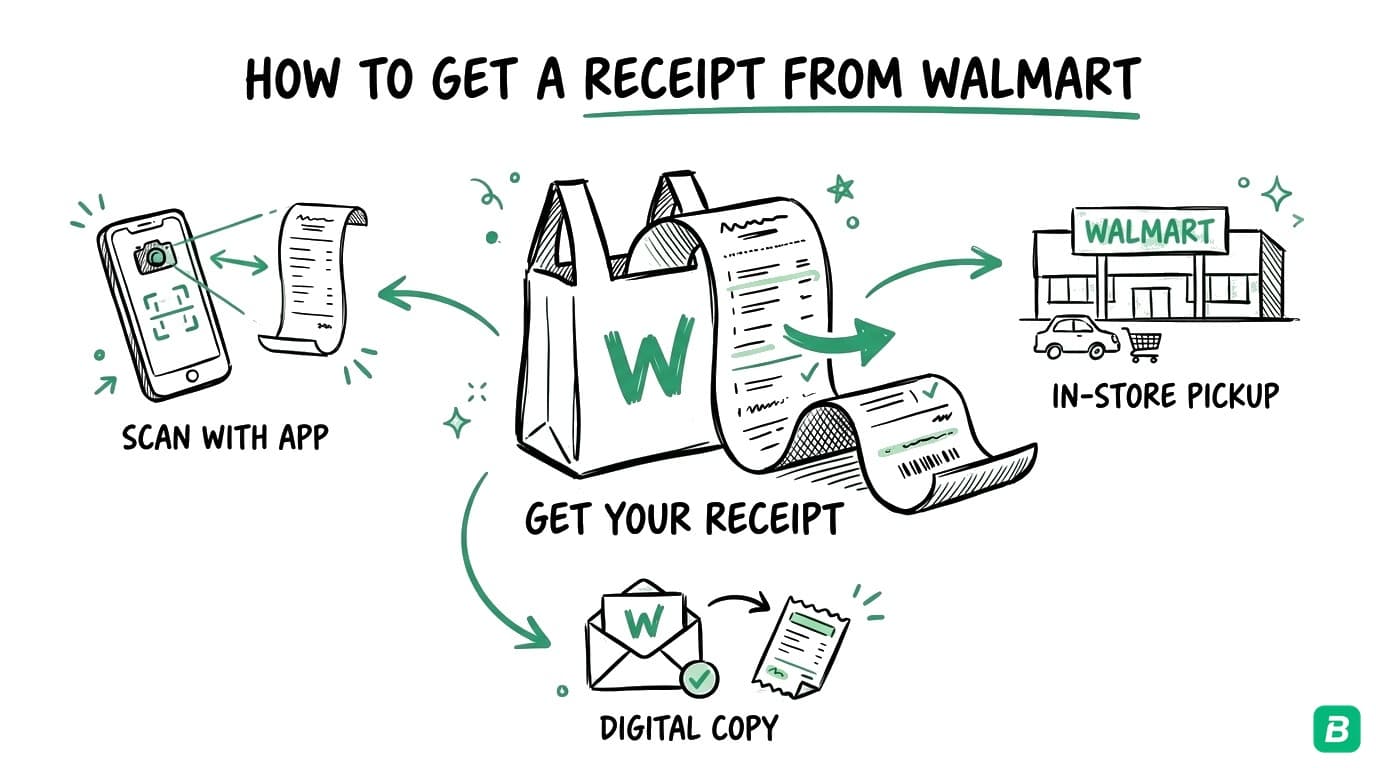
Lost a Walmart receipt? Whether you need it for a return, a business expense claim, or your tax records, there are several ways to retrieve it. Walmart offers digital receipts through their app, online order history through Walmart.com, and in-store options for reprinting paper receipts.
This guide covers every method to get a Walmart receipt — on your phone, online, and at the store — plus how to organize Walmart receipts for business bookkeeping and tax filing.
This guide is for informational purposes only and does not constitute tax advice. Consult a qualified tax professional for your specific situation.
How to Get Digital Receipts in the Walmart App
The Walmart app is the easiest way to access receipts for in-store purchases — but only if you set it up before you shop.
Step 1: Download the Walmart App
Install the Walmart app from the App Store (iOS) or Google Play (Android). Create an account or sign in if you already have one.
Step 2: Enable Digital Receipts
In the app, go to Account > Wallet and add a payment method (credit card, debit card, or Walmart Pay). When you pay using Walmart Pay at checkout, the app automatically saves a digital receipt to your purchase history.
Step 3: Access Your Receipts
Open the app, tap Account, then tap Purchase History. You will see a list of all purchases made with Walmart Pay. Tap any purchase to view the full receipt with itemized details, tax breakdown, and payment method.
Step 4: Save or Share
From the receipt view, you can:
- Save a screenshot: Take a screenshot to save the receipt to your photos
- Share: Use the share option to email the receipt to yourself or save it to your files app
Digital receipts in the Walmart app only work for purchases made using Walmart Pay. If you paid with a regular credit card swipe, tap, or cash, the purchase will not appear in your app history. You will need to use one of the other methods below to retrieve the receipt.
How to Find Receipts on Walmart.com
For online purchases made through Walmart.com or the Walmart app's online shopping feature, receipts are stored in your order history.
Step 1: Log In to Walmart.com
Go to walmart.com (or walmart.ca for Canadian purchases) and sign in to your account.
Step 2: Go to Purchase History
Click on your account icon in the top-right corner, then select Purchase History or Order History.
Step 3: Find Your Order
Browse through your orders or use the search function. Online orders include full details: items, prices, taxes, shipping charges, and payment method.
Step 4: Download or Print
Click on the order to view the full receipt. Use Ctrl + P (Windows) or Cmd + P (Mac) to print or save as PDF.
How to Get a Receipt Reprinted In-Store
If you paid with cash or a regular card swipe and did not use Walmart Pay, you can still retrieve your receipt at the store.
Method 1: Customer Service Desk
Visit the Customer Service desk at the Walmart store where you made the purchase. Provide:
- The approximate date of the purchase
- The payment method used (the last four digits of your card help)
- A description of what you bought
The associate can look up your transaction and reprint the receipt. This typically works for purchases made within the last 90 days, though some stores may access records further back.
Method 2: Self-Checkout Receipt Reprint
Some Walmart self-checkout kiosks have a receipt reprint option. If you used self-checkout and the receipt did not print (or you accidentally left it), try returning to the same kiosk within a few minutes — some retain the last transaction.
Method 3: TC Number Lookup
Every Walmart receipt has a TC number (Transaction Code) — a long number at the bottom of the receipt. If you have the TC number from a photo or partial receipt, a store associate can use it to pull up the full transaction and reprint the receipt.
Get in the habit of photographing every Walmart receipt right after checkout. Even if the paper fades or gets lost, you will have a backup. Receipt paper uses thermal printing that fades over months, especially in heat or sunlight.
How to Get a Walmart Receipt Without the Receipt
What if you have no receipt, no app history, and no TC number? You still have options.
Credit or Debit Card Statement
Your bank or credit card statement shows the date, amount, and merchant name for every Walmart charge. While this is not an itemized receipt, it serves as proof of purchase for many purposes.
Walmart Gift Card History
If you paid with a Walmart gift card, call Walmart customer service at 1-800-925-6278 (US) or 1-800-328-0402 (Canada). They can look up transactions tied to specific gift card numbers.
Email Receipts for Online Orders
Search your email inbox for "Walmart" — order confirmations and shipping notifications from online purchases contain order numbers you can use to access the full receipt online.
Tired of hunting for receipts one by one?
BookZero's AI scans any receipt in under 5 seconds — try it free for 7 days.


Organizing Walmart Receipts for Business
If you buy business supplies at Walmart — office supplies, cleaning products, equipment, food for a business event — those receipts are tax documents. Here is how to stay organized.
Categorize at Point of Purchase
Walmart receipts often include a mix of personal and business items. When you get home, mark or highlight which items are business expenses. Better yet, make separate trips for business and personal purchases so each receipt is cleanly one or the other.
Common Business Expense Categories for Walmart Purchases
| Purchase Type | Tax Category | Example Items |
|---|---|---|
| Office supplies | Office expenses | Paper, pens, ink, folders, binders |
| Cleaning supplies | Maintenance and repairs | Soap, sanitizer, mops, cleaning sprays |
| Equipment | Capital cost allowance | Printers, monitors, small electronics |
| Food for business | Meals and entertainment | Catering for meetings, client meals |
| Vehicle supplies | Motor vehicle expenses | Windshield fluid, car mats, chargers |
For more on which business purchases qualify as tax deductions in Canada, see our deductions guide.
Receipt Storage Best Practices
- Digitize immediately: Scan or photograph receipts the same day. Walmart thermal receipts fade within 6-12 months.
- Name files consistently: Use a format like
walmart-2026-03-24-office-supplies.pdf. - Keep for six years: The CRA requires business records for six years from the end of the tax year. The IRS requires three to seven years.
- Back up digitally: Store copies in cloud storage so a lost phone or crashed hard drive does not wipe out your records.
Walmart Receipts and Canadian Taxes
Canadian business owners buying supplies at Walmart need to understand how taxes appear on Walmart receipts and how to claim them.
GST/HST on Walmart Purchases
Walmart Canada collects the applicable sales tax based on the province where the store is located:
| Province Type | Tax Collected | Example |
|---|---|---|
| HST provinces (ON, NB, NS, NL, PEI) | Single HST rate | 13% in Ontario |
| GST + PST provinces (BC, SK, MB) | GST and PST shown separately | 5% GST + 7% PST in BC |
| Alberta | GST only | 5% GST |
| Quebec | GST + QST | 5% GST + 9.975% QST |
Not every item at Walmart is taxed the same way. Basic groceries (milk, bread, vegetables, meat) are generally zero-rated for GST/HST — meaning no tax is charged. Prepared foods, snacks, carbonated drinks, and non-food items are fully taxed. This is why your Walmart receipt may show different tax amounts on different items.
For a deeper dive into how tax codes appear on Walmart receipts, see our guide on Walmart receipt tax codes explained.
Claiming Input Tax Credits (ITCs)
If you are registered for GST/HST, you can claim ITCs to recover the GST/HST you paid on business purchases at Walmart. To support an ITC claim, your receipt should show:
- The store name and address
- The date of purchase
- Itemized list with amounts
- The GST/HST amount (shown at the bottom of the receipt)
- The store's GST/HST registration number
Walmart's printed receipts include the GST/HST registration number near the store address at the top of the receipt. If the receipt has faded and you cannot read the number, contact the store for a reprint or lookup.
For purchases under $150 (before tax), the CRA has simplified ITC documentation requirements — you need the vendor name, date, and total amount including tax. For purchases over $150, you need the full details listed above. See our complete GST/HST guide for more on ITC claims.
In provinces with separate PST (BC, Saskatchewan, Manitoba), the provincial sales tax portion is not recoverable through Input Tax Credits. Only the GST (5%) portion can be claimed. In HST provinces, the full HST amount is eligible for ITCs.
Walmart.ca Online Orders
For online orders from Walmart.ca, the invoice in your order history includes all tax details needed for ITC claims. These digital invoices do not fade like thermal paper receipts, making them more reliable for long-term record-keeping.
Frequently Asked Questions
How long does Walmart keep receipt records?
Walmart stores can typically look up transactions from the past 90 days using the payment method or approximate purchase details. Online orders through Walmart.com or Walmart.ca are stored indefinitely in your account's order history. Digital receipts saved through Walmart Pay in the app are also available for extended periods.
Can I get a Walmart receipt with just my credit card?
Yes, if you visit the Customer Service desk at the store where you made the purchase. Provide the last four digits of your card, the approximate date, and a rough total. The associate can search the system and reprint the receipt. This works best within 90 days of the purchase.
Does Walmart email receipts?
Walmart emails order confirmations and shipping notifications for online purchases, which include a link to the full receipt in your account. For in-store purchases, Walmart does not email receipts automatically. To get digital receipts for in-store purchases, you need to use Walmart Pay through the Walmart app.
Are Walmart receipts valid for tax deductions?
Yes. Walmart receipts contain the store name, date, itemized purchases, and tax amounts — meeting the documentation standards for both the CRA and IRS. For Canadian businesses claiming Input Tax Credits, verify the GST/HST registration number is legible on the receipt. If using thermal paper receipts, digitize them promptly since the print fades over time.
What do the letters and codes on a Walmart receipt mean?
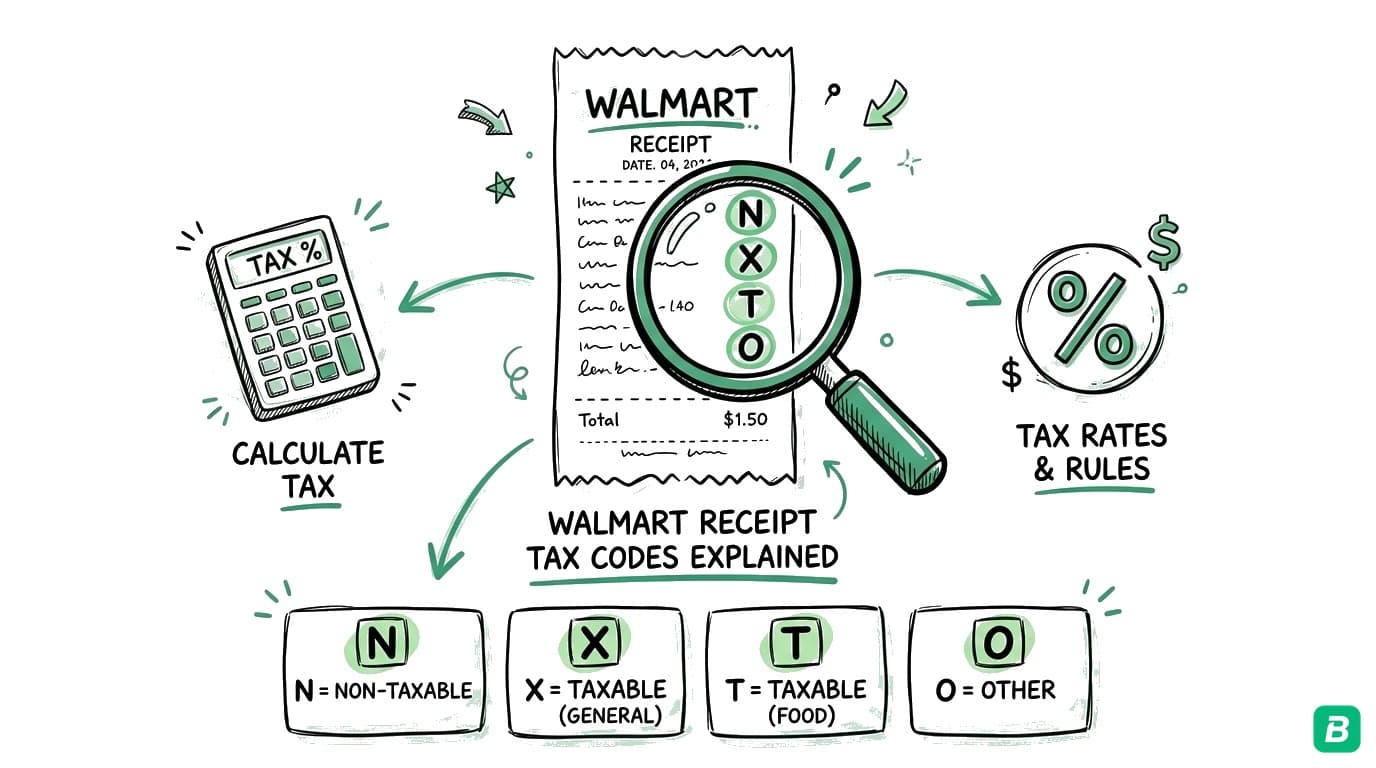
Walmart receipts use letter codes (like F, N, X, O) next to each item to indicate the tax status. These codes determine whether an item is taxed, zero-rated, or exempt. We explain every code in detail in our Walmart receipt tax codes guide.
Stop wasting hours tracking down receipts.
BookZero organizes all your receipts for tax time — start free.

Eric Tech· Founder, BookZero.ai
Founder of BookZero. Building AI-powered bookkeeping tools for US and Canadian freelancers and small businesses.
View all postsStay ahead of tax season
Tax tips, deduction strategies, and feature announcements straight to your inbox. No spam, unsubscribe anytime.