How to Find a Target Receipt (2026): Digital, In-Store & Online
How to find, reprint, and manage Target receipts. Target app, Target Circle, in-store reprints, online order history, and receipt barcode scanning.
Lost a Target receipt or need to find one for a business expense? Whether you paid in-store, online, or through the Target app, there are several ways to retrieve your receipt in 2026. This guide covers every method — from digital receipt lookup in the Target app to requesting a reprint at Guest Services.
Target is one of the largest retailers in the United States with over 1,900 stores. If you make business purchases at Target — office supplies, break room items, cleaning supplies, technology — keeping those receipts organized is essential for tax deductions and expense tracking.
Method 1: Target App (Digital Receipts)
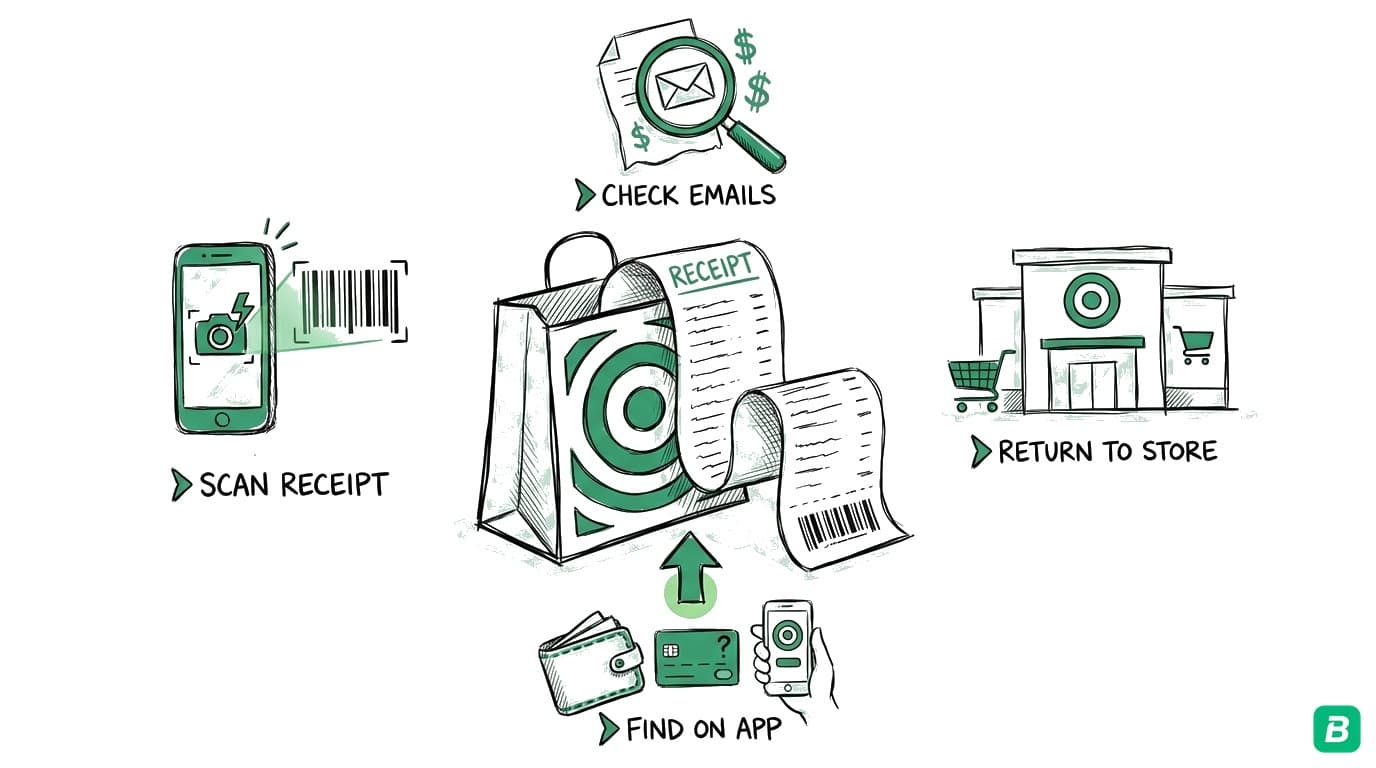
The Target app is the easiest way to find your receipts, especially if you use Target Circle (Target's free loyalty program).
Finding Receipts in the Target App
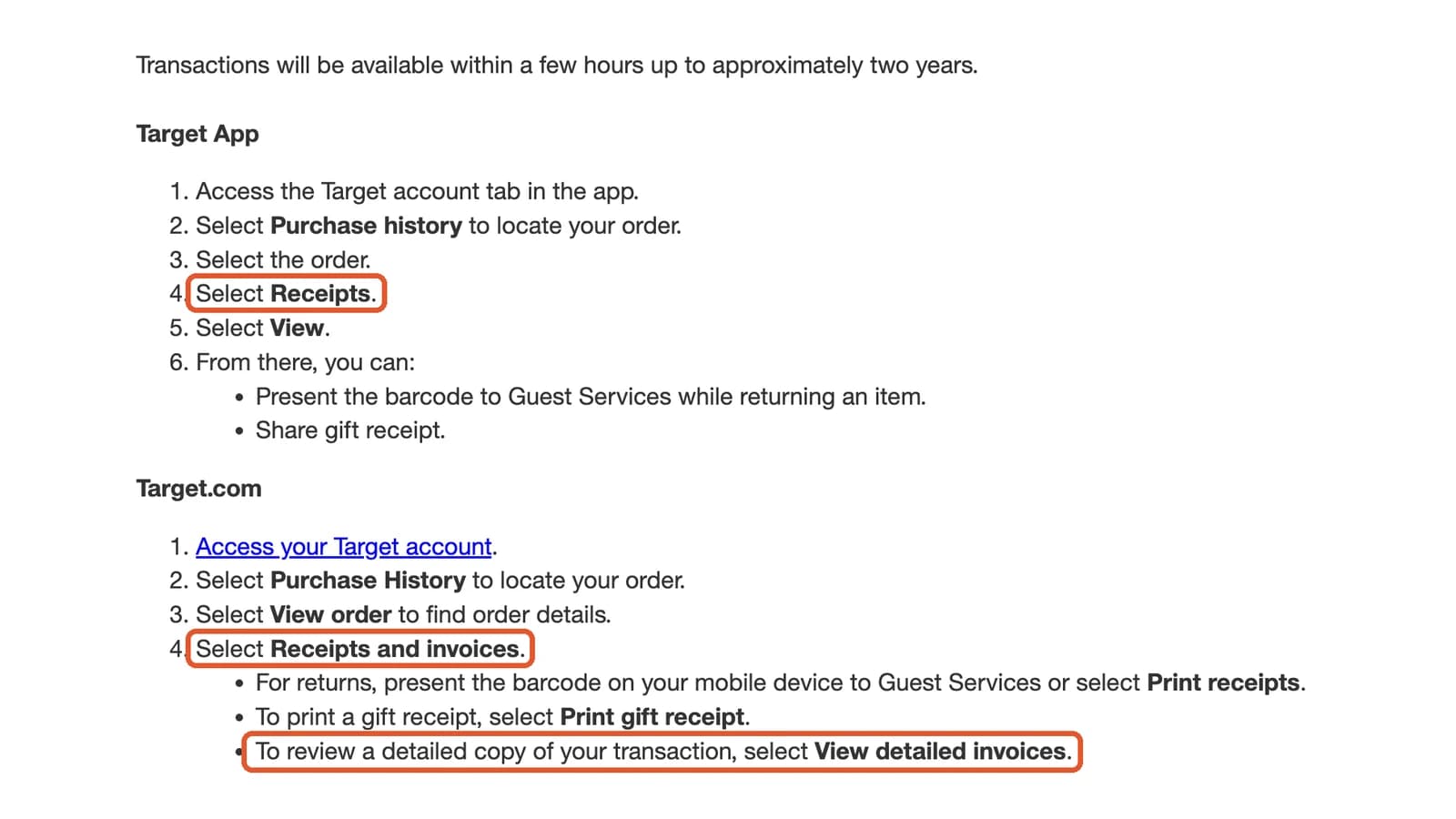
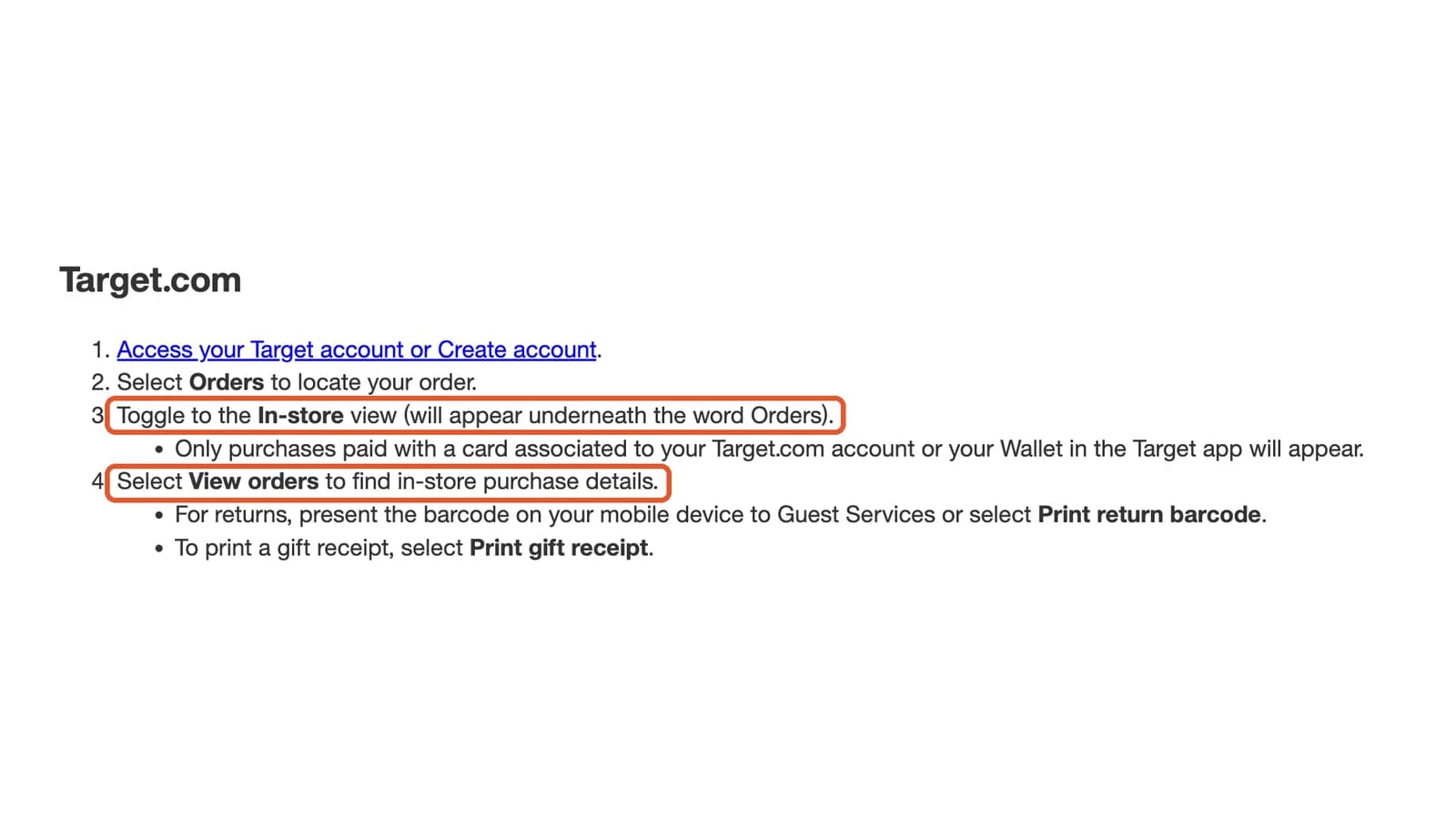
- Open the Target app on your phone
- Tap the Target Circle icon (or your profile icon)
- Scroll to Purchase History or tap See All Purchases
- Browse or search for the transaction you need
- Tap any purchase to view the full digital receipt
Digital receipts in the app show every item purchased, individual prices, discounts applied, tax charged, payment method, and the store location.
Link Your Payment Method to Target Circle
If you link your credit or debit card to your Target Circle account, Target automatically associates every in-store purchase made with that card to your account — even if you don't scan your Target Circle barcode at checkout. This means receipts are saved to your app automatically.
How to Add a Receipt to the Target App After Purchase
If you have a physical receipt and want to add it to your Target Circle account:
- Open the Target app
- Tap the Target Circle icon
- Tap Add Receipt or Scan Receipt
- Use your phone's camera to scan the barcode at the bottom of the receipt
- The receipt will be linked to your Target Circle account and appear in your Purchase History
This is useful when you forgot to scan your Target Circle barcode at checkout. Adding the receipt after the fact saves it digitally and also applies any eligible Target Circle offers you missed.
Method 2: Target.com (Online Orders)
For purchases made on Target.com or through the Target app for delivery or pickup:
- Go to target.com and sign in
- Click your Account icon in the top right
- Select Orders from the dropdown
- Find the order and click View Order Details
- Click View Receipt or Print Receipt to see the full receipt
Online order receipts include the itemized list, prices, discounts, shipping charges, tax, and payment method. You can print the receipt or save it as a PDF using your browser's print dialog.
Order Confirmation Emails
Target sends order confirmation emails for all online purchases. Search your email inbox for:
- From: "Target" or "target.com"
- Subject: "Order confirmed" or "Your Target order"
These emails contain the order number, items purchased, and total charged. They serve as a basic receipt, though the full receipt with tax breakdown is available on Target.com.
Method 3: In-Store Receipt Reprint at Guest Services
If you need a physical copy of a past receipt and didn't use Target Circle:
- Visit the Guest Services desk at any Target store
- Provide the team member with:
- The credit or debit card used for the purchase (they'll look it up by the last 4 digits)
- The approximate date of the purchase
- The store location where you made the purchase (if different from the one you're visiting)
- The team member can search for the transaction and reprint the receipt
Receipt Reprint Limitations
Target can typically look up receipts from the past 90 days for credit/debit transactions. Cash transactions are harder to look up without a receipt number. For older transactions, the Target app or Target.com purchase history (if linked to Target Circle) is your best option.
Method 4: Credit or Debit Card Statement
If you can't find the receipt through any Target method, your bank or credit card statement serves as proof of payment:
- The statement shows the date, amount, and that the payment was made to Target
- For simple expense tracking, a credit card statement line item combined with a note about what was purchased is often sufficient
- However, for IRS documentation of individual items or for returns, you'll need the actual itemized receipt
Tired of hunting for receipts one by one? BookZero's AI scans any receipt in under 5 seconds -- try 50 free.
Try BookZero freeUnderstanding Target Receipt Codes
Target receipts contain several codes and abbreviations that can be confusing. Here's what they mean:
Tax Codes on Target Receipts
| Code | Meaning | Description |
|---|---|---|
| T | Taxable | Standard sales tax applies to this item |
| N | Non-taxable | No sales tax (typically groceries, depending on state) |
| X | Tax-exempt | Item is exempt from sales tax in your state |
| F | Food item | Grocery item (tax treatment varies by state) |
| H | Health item | Health-related product (may be tax-exempt in some states) |
Other Receipt Codes
| Code | Meaning | Description |
|---|---|---|
| DPCI | Department, Class, Item | Target's internal product identification number |
| REG | Register number | Which register processed the transaction |
| STR | Store number | The specific Target store location |
| TM | Team member | The cashier's employee number |
| RTV | Return to vendor | Item returned to manufacturer |
Understanding these codes helps with bookkeeping — the tax code tells you whether sales tax was charged on each item, which matters when categorizing expenses and calculating deductible amounts.
Reading the Target Receipt Barcode
The barcode at the bottom of a Target receipt encodes the store number, register number, transaction number, and date. This is the barcode you scan when adding a receipt to the Target app. It's also what Guest Services uses to look up a transaction for reprints or returns.
What Information Appears on a Target Receipt
A standard Target receipt includes everything needed for expense documentation:
| Field | Description | Bookkeeping Use |
|---|---|---|
| Store name and address | The specific Target location | Vendor identification |
| Date and time | Exact timestamp of purchase | Transaction dating |
| Itemized products | Each item with description and price | Expense categorization |
| DPCI numbers | Target's product identifiers | Item verification |
| Discounts | Target Circle offers, coupons, sale prices | Net expense amount |
| Subtotal | Pre-tax total | Base expense amount |
| Sales tax | Tax amount with rate | Tax documentation |
| Total | Final amount charged | Bank reconciliation |
| Payment method | Card type and last 4 digits | Matching to bank statement |
| Target Circle savings | Total saved through loyalty program | Net cost tracking |
Using Target Receipts for Tax Deductions
United States
Target receipts are valid documentation for business expense deductions. The IRS requires records showing the amount, date, business purpose, and vendor — Target's itemized receipts provide all of these except the business purpose, which you should note in your bookkeeping records.
Common deductible Target purchases:
- Office supplies: Pens, paper, folders, organizers, desk accessories — deductible under office supplies
- Technology: USB drives, cables, phone chargers, basic electronics — deductible as business equipment (or depreciated if over $2,500)
- Break room supplies: Coffee, water, paper towels, cleaning supplies — deductible under office expenses
- Shipping supplies: Boxes, tape, bubble wrap (for e-commerce sellers) — deductible under shipping costs
- Gifts: Client or employee gifts purchased at Target — deductible up to $25 per recipient per year
- Cleaning supplies: For home office or business space — deductible under maintenance
Separate Personal and Business Items
If your Target receipt includes both personal and business items, only the business items are deductible. In your bookkeeping records, note which items on the receipt were for business use. For simplicity, consider making separate transactions for business and personal purchases.
IRS receipt requirements by amount:
| Expense Amount | Documentation Needed |
|---|---|
| Under $75 | No receipt required (but recommended) |
| $75 and over | Receipt required with date, amount, vendor, and business purpose |
| Over $2,500 (equipment) | Receipt required, may need to depreciate rather than expense |
Home Office Deduction
If you work from home and buy supplies at Target for your home office, those purchases are deductible. The simplified home office deduction ($5/sq ft, up to 300 sq ft) doesn't require individual receipts. But the regular method — which can yield a larger deduction — requires receipts for every expense including supplies, furniture, and equipment.
For a comprehensive guide on business deductions, see our expense tracking guide.
A Note for Canadian Readers
Target closed all 133 of its Canadian stores in April 2015 after a troubled expansion. Target does not currently operate in Canada and there are no announced plans to return.
If you're a Canadian small business owner looking for similar receipt management guidance, the same principles apply to Canadian retailers:
- Walmart Canada: Walmart.ca account history and the Walmart app store digital receipts. Walmart processes GST/HST which appears on your receipt for ITC claims
- Canadian Tire: Canadian Tire's Triangle Rewards program tracks purchase history digitally through the Canadian Tire app
- Costco Canada: Costco.ca shows purchase history for members, and in-warehouse receipt lookup is available at the membership desk
For Canadian bookkeeping and expense tracking guidance, see our bookkeeping guide for Canada and small business tax deductions guide.
Frequently Asked Questions
How far back can I find Target receipts in the app?
Target Circle purchase history stores receipts for up to 1 year in the app. For online orders, Target.com retains order history for longer — typically several years. For receipts older than a year that weren't saved digitally, your credit card statement may be the only available record.
Can I find a Target receipt without a Target Circle account?
Without Target Circle, your options are limited. You can visit Guest Services with the card used for the purchase (within approximately 90 days), check your email for online order confirmations, or check your credit card statement. Setting up a free Target Circle account going forward will save receipts automatically.
What if I paid cash and lost the receipt?
Cash transactions without a Target Circle account are very difficult to look up. Guest Services may be able to find the transaction if you know the exact date, time, and store, but this is not guaranteed. For business expenses, always use a card or link your payment method to Target Circle so receipts are tracked automatically.
Can I use a Target receipt for a return without the physical copy?
Yes. If the purchase is linked to your Target Circle account, the team member at Guest Services can look up the transaction using your phone number or Target Circle account. For purchases made with a credit or debit card, they can search by the card's last 4 digits. Target's return policy generally allows returns within 90 days (120 days for Target Circle members on select items).
Does Target email digital receipts automatically?
Target emails receipts automatically for all online orders (Target.com and in-app purchases for delivery/pickup). For in-store purchases, digital receipts are only saved if you scanned your Target Circle barcode or used a linked payment card. Target does not email in-store receipts unless you specifically enable this in your Target Circle account settings.
Stop wasting hours tracking down receipts. BookZero organizes all your receipts for tax time -- start free.
Try BookZero free
Eric Tech· Founder, BookZero.ai
Founder of BookZero. Building AI-powered bookkeeping tools for US and Canadian freelancers and small businesses.
View all postsStay ahead of tax season
- Tax tips & deduction strategies
- Feature announcements
- No spam — unsubscribe anytime
Related Articles

How to Get Receipts from eBay (2026): Buyer & Seller Guide
Complete guide to finding eBay receipts as a buyer or seller. Purchase history, seller invoices, eBay fee statements, and tax documentation.

How to Get a Receipt from PayPal (2026): Invoices & Transaction History
Step-by-step guide to finding PayPal receipts, downloading invoices, and exporting transaction history for tax reporting in the US and Canada.