How to Get Instacart Receipts (2026): App, PDF & CSV
Download Instacart receipts in the app or online, understand final charges and refunds, and export business receipt history to PDF or CSV.
 Eric Tech·Jul 11, 2026·6 min read·
To get an Instacart receipt, open Account → Orders, select the completed order, and tap Receipt. On a computer, open Your orders → View order detail → View Receipt. Instacart also emails the final receipt after delivery, while Instacart Business accounts can export receipt history as PDF or CSV files.
This guide is for anyone who needs an Instacart receipt for a refund, expense report, business purchase, or Canadian tax record.
Use the completed order's digital receipt—not the estimated checkout total. Replacements, weighted items, refunds, service fees, and tips can change the final amount.
How to Find an Instacart Receipt in the App
Instacart's receipt instructions list these steps:
- Open the Instacart app.
- Tap Account.
- Tap Orders.
- Select the completed order.
- Tap Receipt.
The digital receipt shows the items fulfilled, replacements, fees, taxes, tip, adjustments, and final total. If one order included deliveries from multiple stores, the order page can show separate store tabs, while View Receipt displays the complete order.
How to Get an Instacart Receipt on a Computer
- Sign in to Instacart.ca.
- Open the menu in the upper-left corner.
- Select Your orders.
- Select View order detail for the order.
- Select View Receipt at the top of the page.
- Use your browser's print menu to print it or save it as a PDF.
Desktop is usually the easiest option when you need to rename files, upload several receipts, or compare the final total against a bank statement.
How to Download Instacart Receipts as PDF or CSV
A personal account can save an individual digital receipt as a PDF using the browser's print function. Instacart Business adds bulk export tools. According to Instacart's business-order guide, owners and admins can choose a date range and export receipt history as PDF and CSV files.
On the Instacart Business website:
- Open Your orders.
- Select Export.
- Choose the date range, user roles, and file types.
- Submit the export request.
- Download the files from the link Instacart emails to you.
CSV is useful for analysis, but keep the PDF receipts or original digital documents as supporting records. A spreadsheet row alone may omit item-level details and the business context.
Why the Receipt Total May Differ From the Checkout Total
The amount shown at checkout is an estimate. The final receipt may change because of:
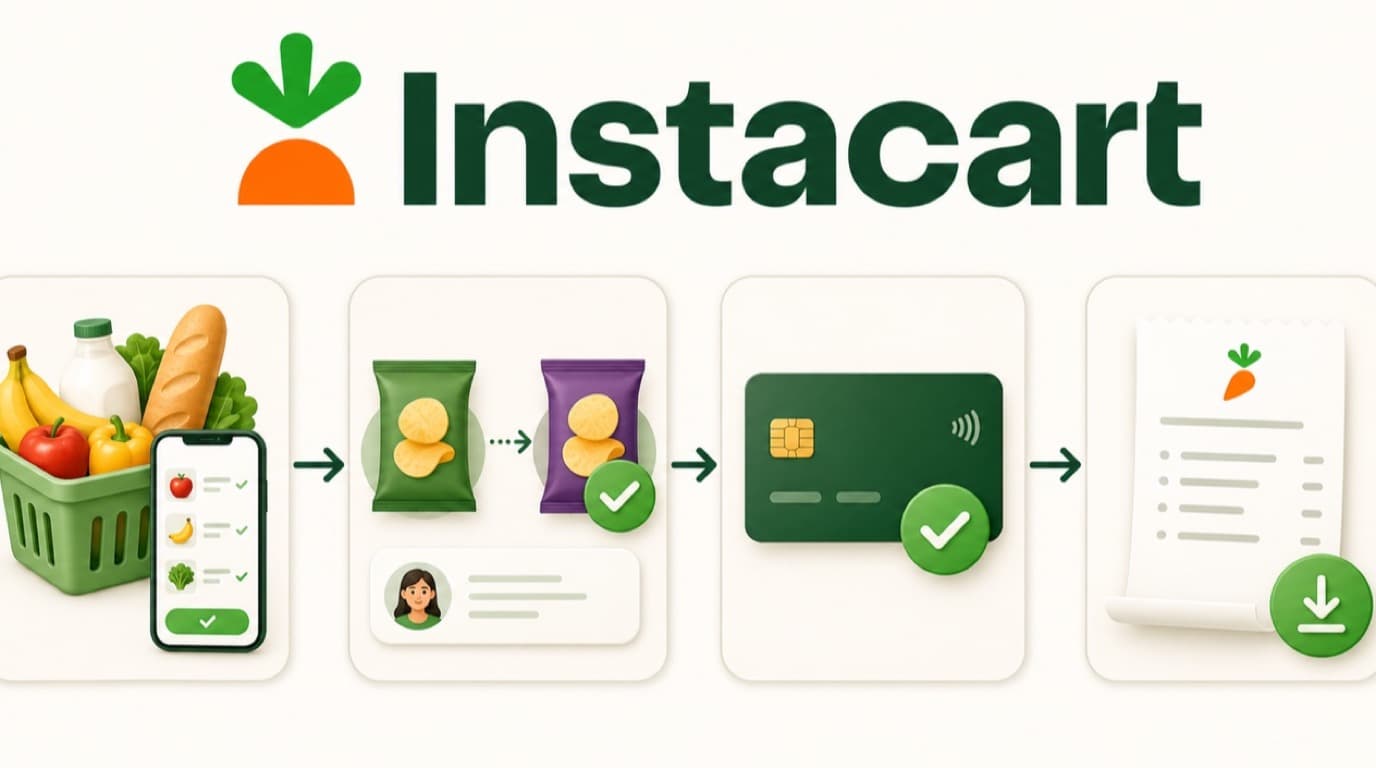
- Replacements with a different price
- Produce, meat, or other items priced by final weight
- Items that were unavailable and not charged
- Items added after checkout
- Service fees or taxes affected by order changes
- A tip added or adjusted after delivery
- Refunds or credits applied after completion
Instacart's receipt distinguishes the Original Charge, later refunds, and the Total Charged. For bookkeeping, match the final receipt and any later refund to what actually appears on the payment account.
Instacart Authorization Holds vs. Final Charges
Instacart may place a temporary authorization hold above the estimated order total. That hold is not a second receipt and should not be recorded as a completed expense. Wait for the final charge to settle, then match it to the completed-order receipt.
Tips adjusted after delivery can appear as a separate card transaction. When that happens, keep one receipt but record the transactions in a way that still reconciles to the receipt's final total.
How to Find a Missing Instacart Receipt
Try these checks:
- Search your inbox for Instacart and the delivery date.
- Check Spam, Junk, and Promotions folders.
- Confirm you signed in with the email or phone number used for the order.
- Look under completed orders, not active orders.
- Open the order detail even if the bank charge has not settled.
- Contact Instacart support from the relevant order if it is still missing.
If someone else placed the order through a shared or business account, the receipt may be visible to the buyer or account administrator rather than your personal profile.
Using Instacart Receipts for Canadian Bookkeeping
An Instacart order can mix business supplies, food used to earn business income, personal groceries, service fees, and tips. Separate the eligible business portion instead of categorizing the entire delivery as one expense.
The Canada Revenue Agency's business-expense guidance requires a connection between an expense and earning business income. Add a note explaining the purpose, especially for groceries or household goods that could be personal.
A card statement proves that money moved; it does not show which items were purchased. Keep the itemized Instacart receipt and document any personal portion you excluded.
For a repeatable workflow, use our guides to track small-business receipts and reconcile bank statements.


Instacart Receipt Checklist
Before marking the order complete, save:
- The final digital receipt after delivery
- Any separate refund or credit confirmation
- A note identifying business and personal items
- The final settled payment transaction
- The business purpose and appropriate expense category
- A PDF copy in your bookkeeping records
Frequently Asked Questions
Does Instacart email a receipt?
Yes. Instacart says it emails a full digital receipt after the delivery is complete. You can also retrieve the same receipt from Account → Orders in the app or Your orders on the website.
Can I download an Instacart receipt as a PDF?
Yes. Open the receipt on a computer and use the browser's print menu to save it as a PDF. Instacart Business accounts also provide receipt-history exports in PDF and CSV formats.
Why did Instacart charge more than my receipt estimate?
Checkout totals are estimates. Replacements, final item weights, added products, fees, taxes, and tip changes can alter the total. Compare your bank account with the completed-order receipt's Total Charged, not the initial estimate.
Can I get an itemized Instacart receipt?
Yes. The completed-order digital receipt lists fulfilled items, replacements, adjustments, fees, taxes, tips, and the final total. Open the order and select Receipt or View Receipt.
Can Instacart Business export multiple receipts?
Yes. Instacart Business owners and admins can export receipt history for a selected date range as PDF and CSV files. Team dashboards can also provide monthly receipt exports.
Save the Final Version, Not the Estimate
Instacart receipt retrieval takes only a few taps, but the timing matters. Wait until delivery is complete, save the final itemized receipt, separate personal items, and reconcile all charges and refunds. That gives you a clean record instead of an estimate that no longer matches the bank.

Eric Tech· Founder, BookZero.ai
Founder of BookZero. Building AI-powered bookkeeping tools for US and Canadian freelancers and small businesses.
View all postsStay ahead of tax season
Tax tips, deduction strategies, and feature announcements straight to your inbox. No spam, unsubscribe anytime.