How to Get Costco Receipts Online (2026 Guide)
Find, download, and print Costco warehouse and online receipts. Includes missing receipts, purchases older than two years, and bookkeeping tips.
 Eric Tech·Jul 11, 2026·7 min read·
You can get a Costco receipt online by signing in to your Costco account, opening Orders & Purchases, choosing In-Warehouse or Online, and selecting the receipt you want to view or print. Costco says receipts for purchases made within the last two years are available online. Older warehouse receipts must be requested at the membership counter.
This guide is for Costco members, freelancers, and small-business owners who need a duplicate receipt for a return, warranty claim, expense report, or tax records.
For a warehouse purchase, open Orders & Purchases → In-Warehouse → View Receipt. For a Costco.com order, choose the order and select View Order Details → Print Invoice. Account labels can vary slightly by country and app version.
How to Get a Costco Warehouse Receipt Online
Costco links eligible in-warehouse purchases to the membership number used at checkout. According to Costco Customer Service, purchases from the last two years can be viewed and printed from your online account.
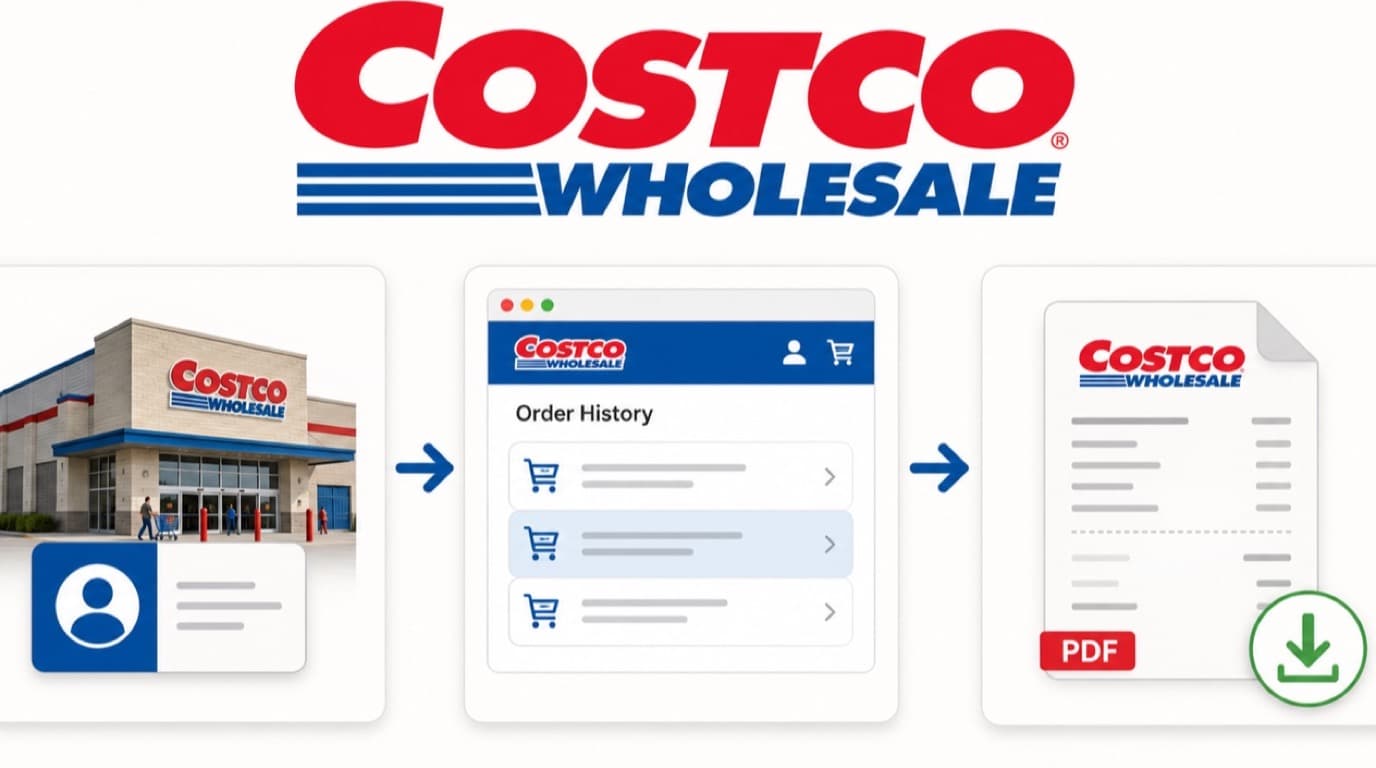
- Sign in to your Costco account.
- Open Orders & Purchases.
- Select the In-Warehouse tab.
- Choose the date range containing the purchase.
- Find the transaction and select View Receipt.
- Select Print Receipt, or use your browser's print menu to save it as a PDF.
If the purchase is missing, confirm that your online account is linked to the same Costco membership number that was scanned at checkout. Purchases made with another household member's card may appear under that member's account instead.
How to Get a Costco Online Order Receipt
Costco calls the printable document for an online order an invoice. Its online-order receipt instructions use the following path:
- Go to Costco's website and select Orders & Returns.
- Sign in if prompted.
- Choose the date range for the order.
- Select View Order Details beside the purchase.
- Select Print Invoice.
The order confirmation email is useful evidence, but the final invoice is the better bookkeeping record because it reflects the completed order. Save the invoice as a PDF before uploading it to your expense system.
How to Find Costco Receipts in the App
The Costco app can display receipts for both warehouse and online purchases. Sign in, open the account or orders area, choose the purchase type, and select the transaction. If the app does not offer a clean PDF download, open the receipt on Costco's website and use Print → Save as PDF.
App menus change over time. If you cannot see Orders & Purchases, update the app, confirm your membership is linked, or use a desktop browser.
What to Do When a Costco Receipt Is Missing
Work through these checks in order:
- Check the date filter. The default range may not include the purchase month.
- Switch purchase tabs. Warehouse and online purchases are stored separately.
- Check the membership number. The purchase follows the membership used at checkout, not merely the payment card.
- Ask the other household member. Their purchases may be attached to their login.
- Contact Costco. For an online order that cannot be printed, Costco says customer service can email a copy to the original billing email address.
For a warehouse purchase older than two years, visit the membership counter with photo identification, your membership number, and the approximate purchase date. More detail—store location, item, and total—can help staff narrow the search.
How to Save a Costco Receipt as a PDF
Open the digital receipt, then use your device's print command:
- Windows: press Ctrl+P and choose Save as PDF.
- Mac: press Command+P, open the PDF menu, and choose Save as PDF.
- iPhone or iPad: tap Share or Print, expand the preview, then save it to Files.
- Android: tap the menu, choose Print, and select Save as PDF.
Use a consistent filename such as 2026-07-11-costco-84.27.pdf. A date-vendor-total format makes receipts much easier to match to bank transactions later.
Using Costco Receipts for Canadian Business Expenses
A Costco receipt is not automatically a business expense. A mixed receipt may contain office supplies, resale inventory, business food, and personal groceries. Mark which items had a business purpose and record only the eligible business portion.
The Canada Revenue Agency's business-expense guidance explains that expenses must be incurred to earn business income and supported by records. Keep the receipt alongside a short note describing the business purpose, especially when the purchase could reasonably be personal.
Paying with a business credit card does not make every item deductible. Split mixed Costco purchases line by line and exclude personal items.
For a broader system, see how to keep track of receipts for a small business and how to categorize Canadian business expenses.


Costco Receipt Checklist
Before filing the receipt, confirm that you have:
- The final warehouse receipt or online invoice—not only an order confirmation
- Purchase date, Costco location, and total amount
- GST, HST, PST, or QST shown on the document where applicable
- A note identifying the business items and purpose
- A PDF or clear image stored with your bookkeeping records
- A matching bank or credit-card transaction
Frequently Asked Questions
Can I look up a Costco receipt online?
Yes. Sign in to your Costco account, open Orders & Purchases, and choose either the In-Warehouse or Online tab. Costco says eligible receipts from the previous two years can be viewed and printed online.
Can Costco reprint an old warehouse receipt?
Yes. For a warehouse purchase older than two years, Costco directs members to the membership counter with photo identification, their membership number, and the purchase date. Bringing the store location, item name, and approximate total can make the search easier.
Can I get a Costco receipt without a membership?
Online orders may be available through the account and billing email used for the purchase. In-warehouse receipt history is normally tied to the membership scanned at checkout, so the member may need to retrieve it or visit the membership counter.
Why is my Costco warehouse receipt not showing online?
Common causes include the wrong date range, the wrong warehouse/online tab, an unlinked membership number, or a purchase made using another household member's card. Very recent transactions may also take time to appear.
Are Costco receipts acceptable for Canadian taxes?
A Costco receipt can support a business-expense claim when it shows the transaction details and you document the business purpose. For mixed purchases, claim only eligible business items and retain the receipt with your other tax records.
Keep the Receipt While It Is Easy to Find
For purchases from the last two years, Costco receipt lookup is usually a short online task. Download the PDF, identify the business items, and match it to the payment transaction now. That small habit is much easier than reconstructing a mixed warehouse purchase at tax time.

Eric Tech· Founder, BookZero.ai
Founder of BookZero. Building AI-powered bookkeeping tools for US and Canadian freelancers and small businesses.
View all postsStay ahead of tax season
Tax tips, deduction strategies, and feature announcements straight to your inbox. No spam, unsubscribe anytime.