How BookZero Works: Full Feature Walkthrough
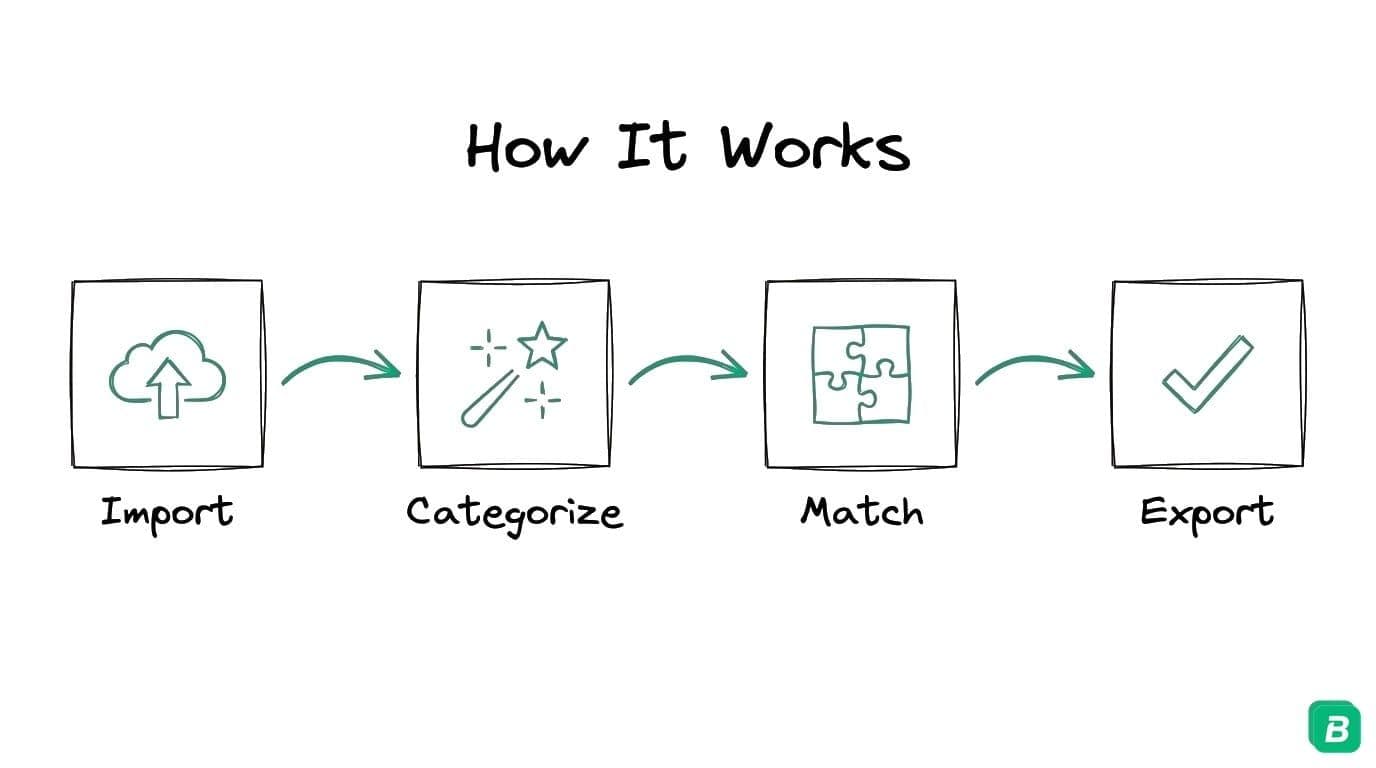
A step-by-step walkthrough of how BookZero turns receipts and bank statements into tax-ready reports — from cloud import to AI matching and export.
 Eric Tech·Mar 1, 2026·Updated Sep 30, 2026·4 min read·
Watch the Full Demo
See every feature in action — from scanning your first receipt to exporting a tax-ready report:
Step 1: Import Your Receipts
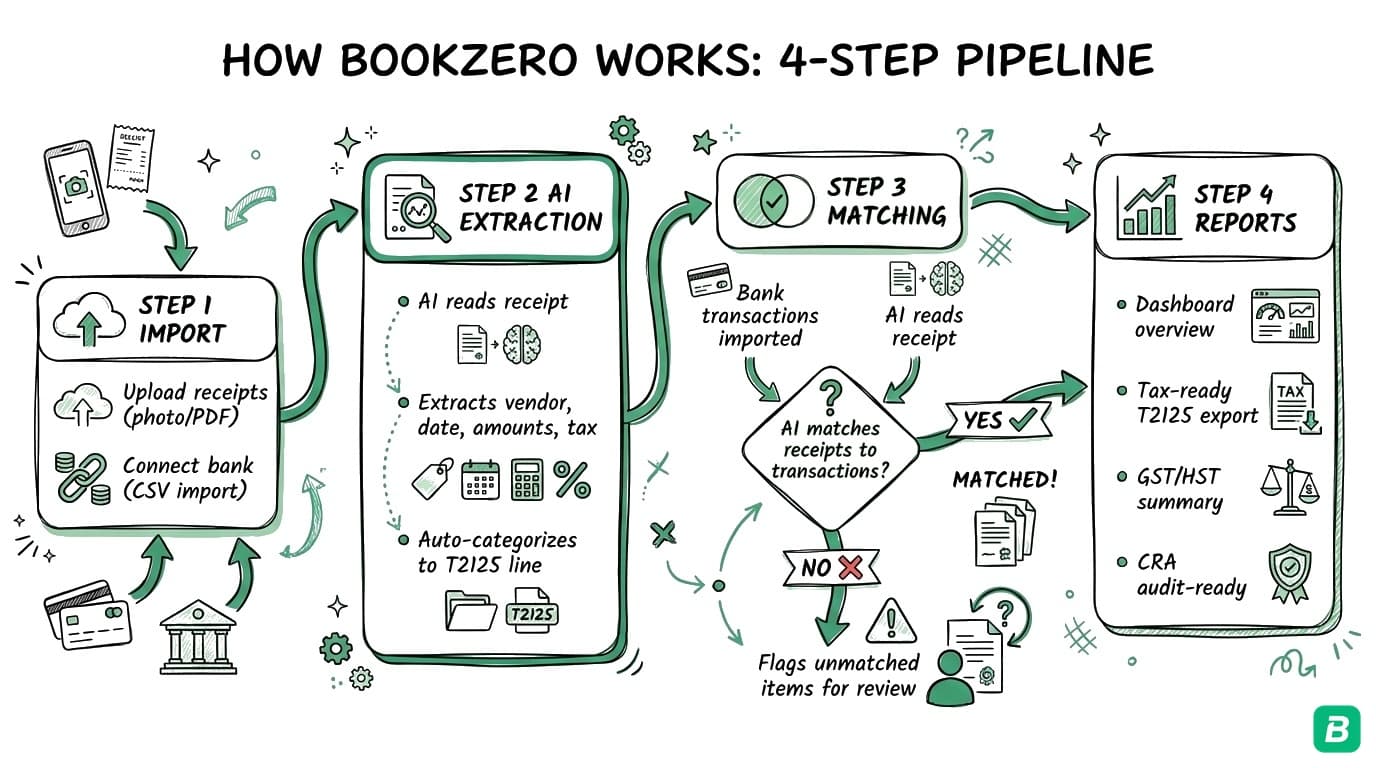
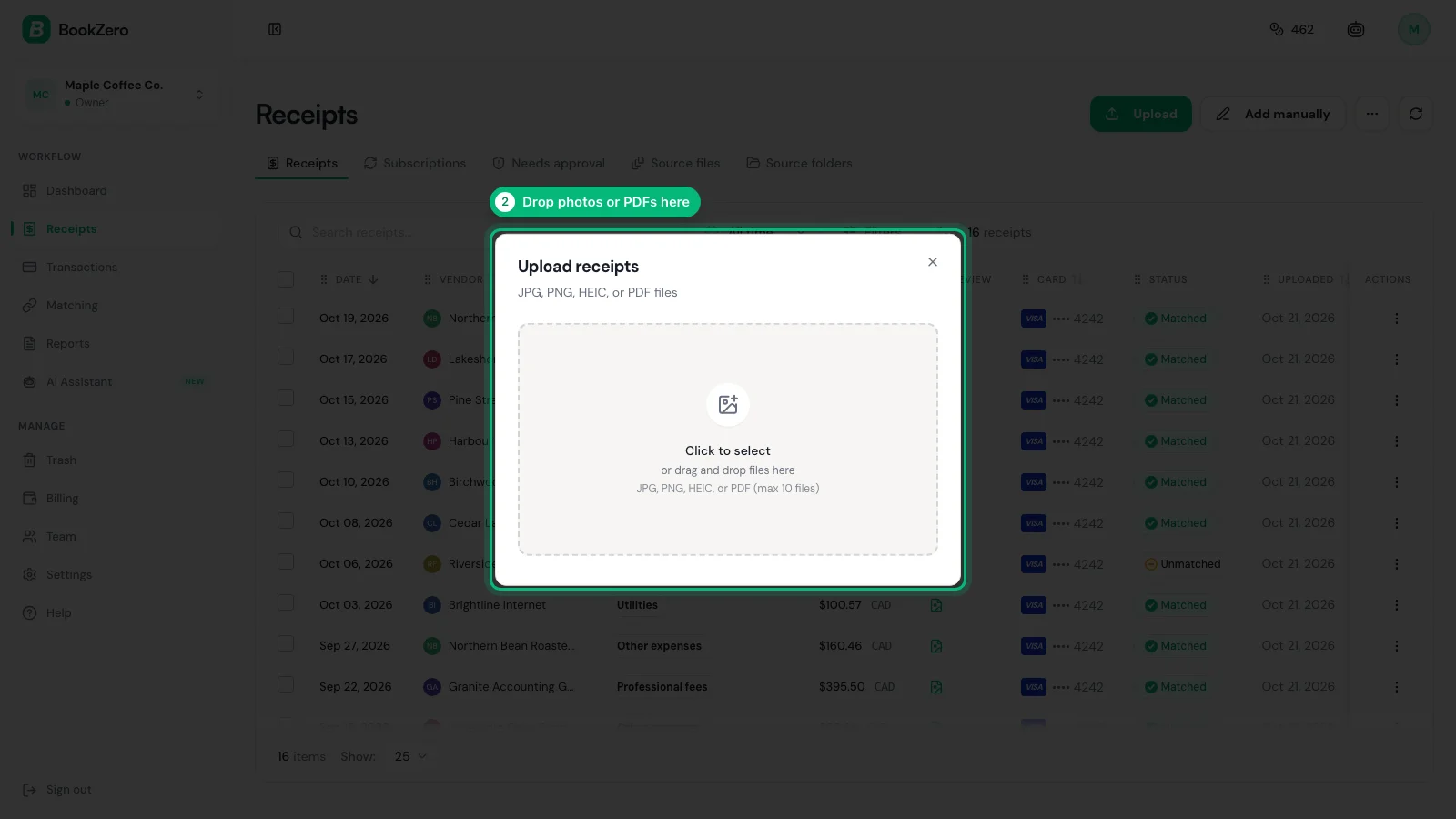
BookZero connects to Google Drive so you can import receipts directly from where you already store them. You can also drag-and-drop files from your computer.
Supported formats include JPG, PNG, PDF (single and multi-page), and HEIC. Once imported, files are queued for AI processing — most receipts are fully extracted in seconds.
Step 2: AI Categorization
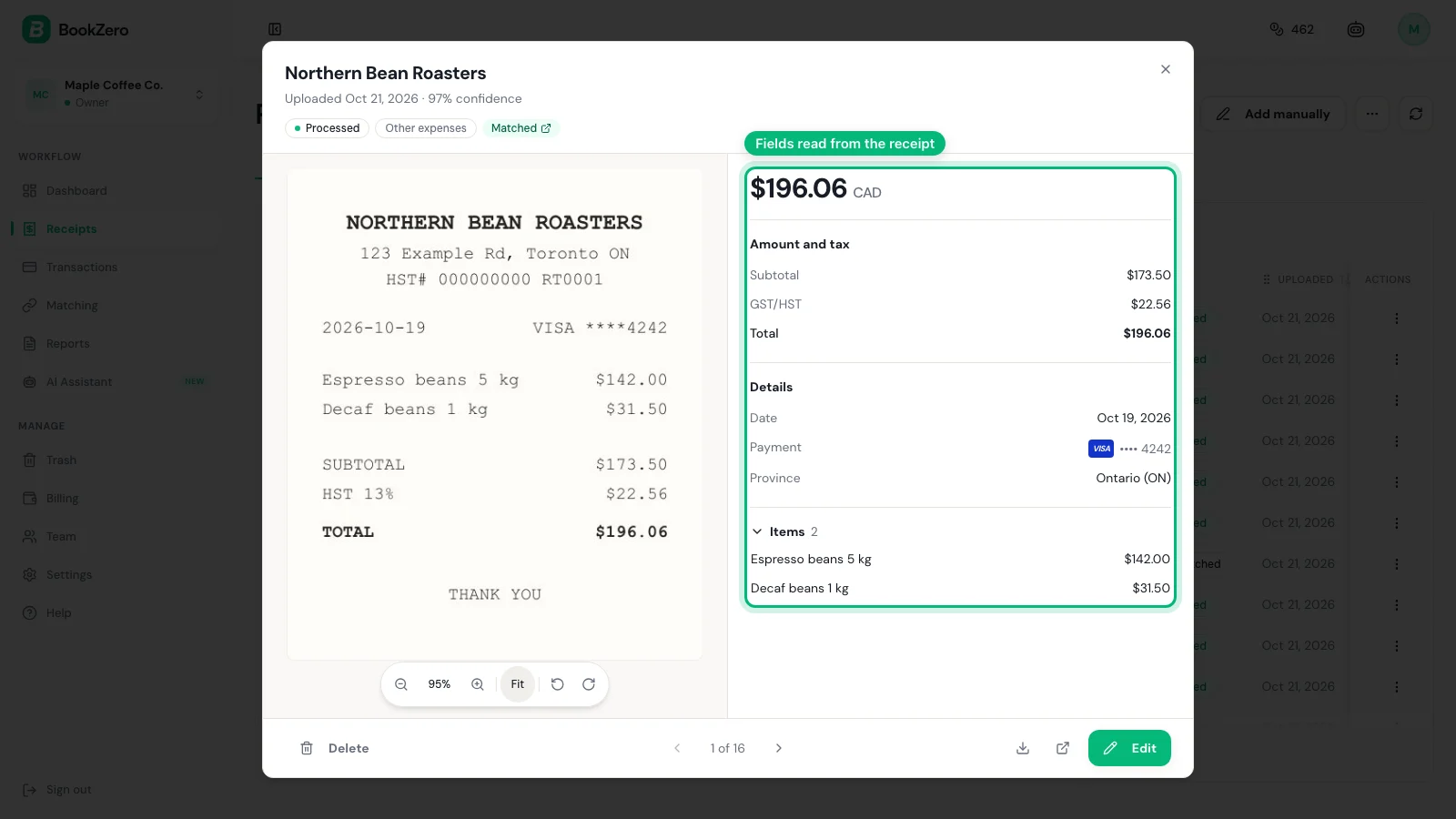
The AI reads each receipt and extracts:
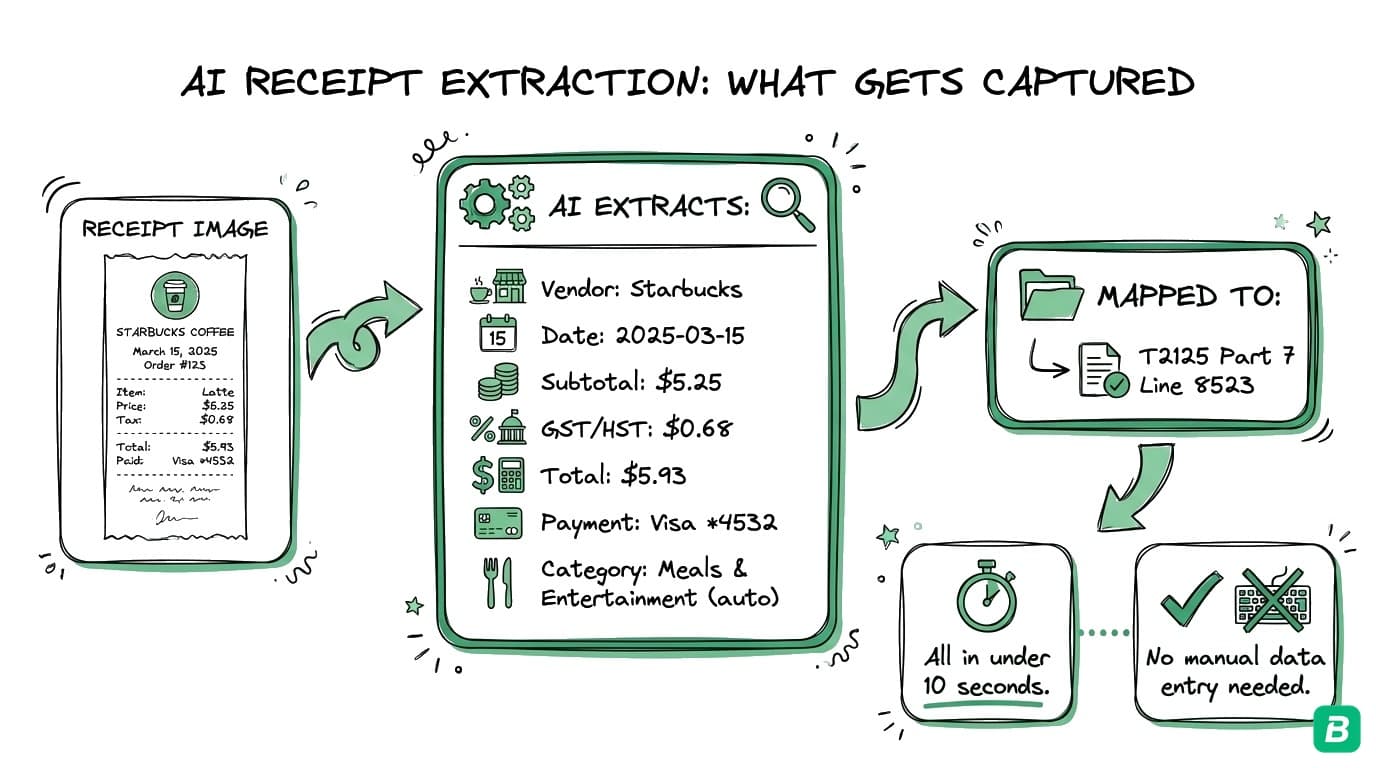
- Vendor name (e.g., Shell, Costco, Amazon)
- Date and total amount
- Tax breakdown — GST, HST, PST detected by province
- Category — mapped to CRA T2125 line numbers (fuel, office supplies, meals, etc.)
- Payment method — Visa, Mastercard, cash, etc.
Step 3: Bank Statement Matching
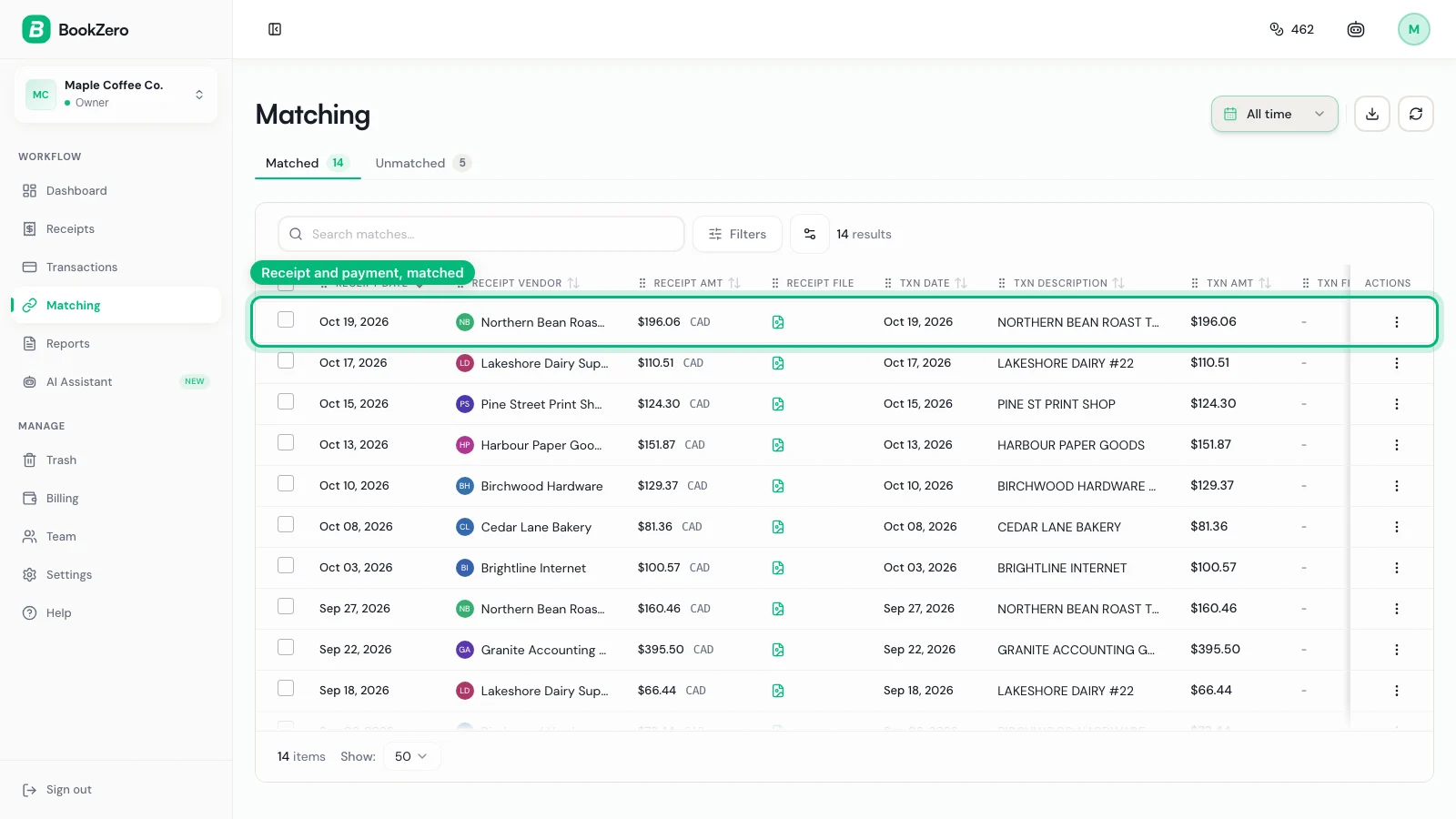
Import your bank statement (CSV or PDF) and BookZero parses every transaction automatically. Then the auto-match engine compares each transaction against your receipts by date, amount, and vendor.
Matches are scored and presented for one-click confirmation. For transactions without a clear match, you can drag-and-drop to manually pair them.
Step 4: Export Tax-Ready Reports
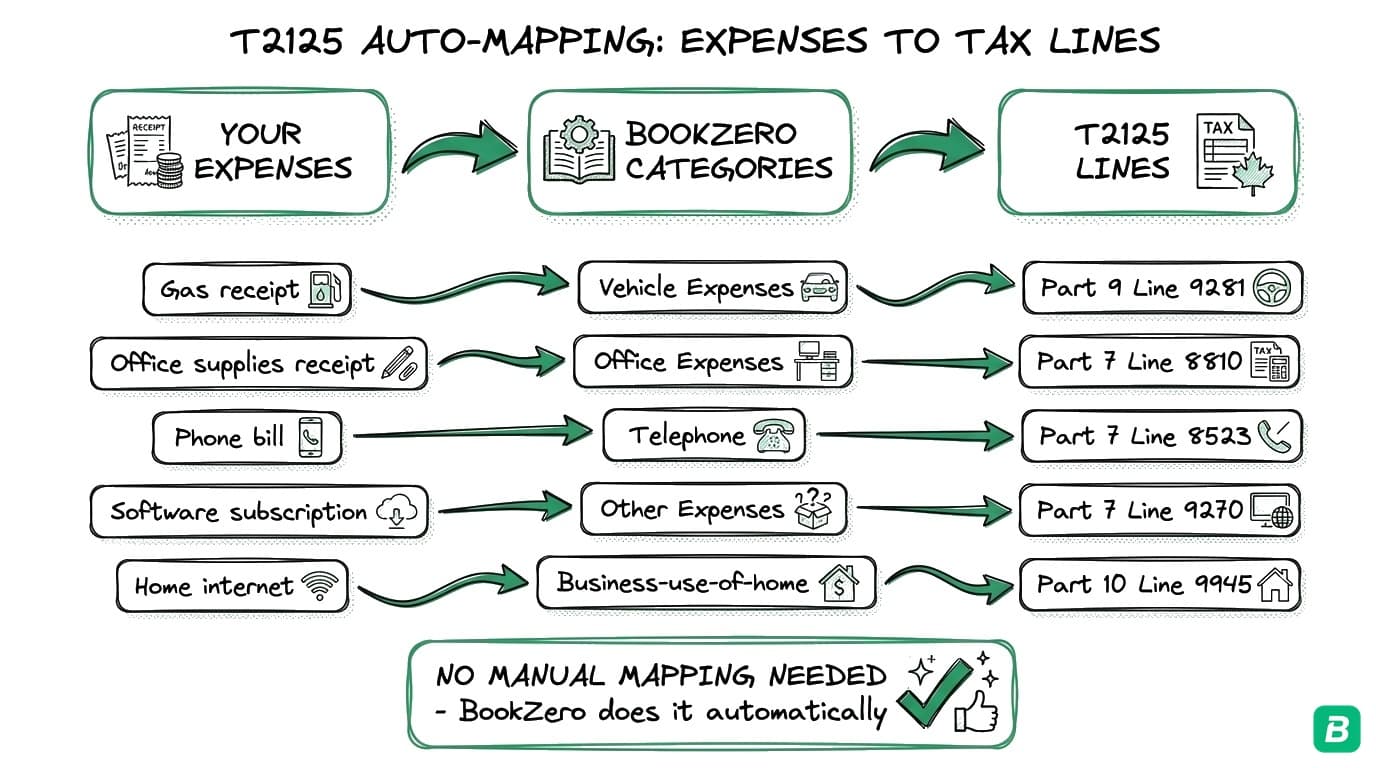
Once your receipts and transactions are matched, export everything as a CRA-ready report. Reports include:
- Expense summary by category
- Matched vs. unmatched transaction breakdown
- CSV and PDF export options
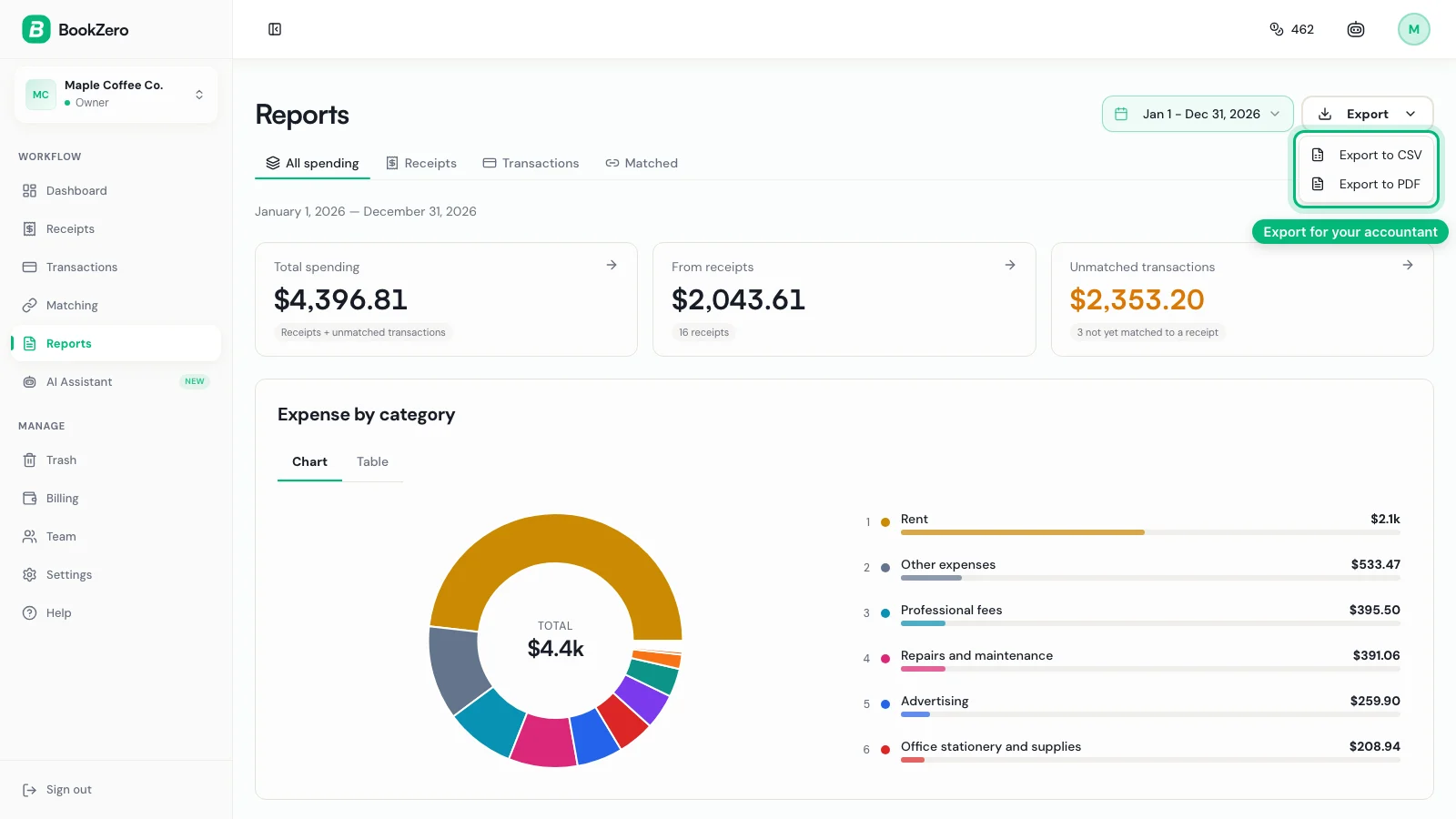
Whether you file yourself or hand it to your accountant, BookZero gives you organized, audit-ready data that meets CRA record-keeping requirements.
Get Started Free
BookZero gives you a 7-day free trial with 50 credits. That's enough to scan 50 receipts and see the full workflow in action.
Tired of hunting for receipts one by one?
BookZero's AI scans any receipt in seconds — try 50 free.


Frequently Asked Questions
How long does BookZero take to scan a receipt?
Seconds, not minutes. BookZero uses Google Gemini AI to extract vendor name, amount, date, taxes (GST/HST/PST), payment method, and category from each receipt image. Multi-page receipts (up to 30 pages) are processed page-by-page and merged automatically.
Can BookZero handle handwritten or faded receipts?
Yes. Unlike traditional OCR that relies on clear printed text, BookZero's AI understands context — it can read handwritten receipts, faded thermal paper, and crumpled invoices. Each extracted field includes a confidence score (0.7–1.0) so you can see which fields may need review.
What file formats does BookZero accept?
BookZero accepts JPG, PNG, HEIC, and PDF files. Single images cost 1 credit. Multi-page PDFs cost 1 credit per page (maximum 30 pages per file). You can upload directly, or import from Google Drive.
Does BookZero work with Canadian bank statements?
Yes. BookZero imports bank statements in CSV and PDF formats from any Canadian bank. It automatically matches imported transactions to your scanned receipts by date, amount, and vendor, so you can reconcile your books without manual rule-building.

Eric Tech· Founder, BookZero.ai
Founder of BookZero. Building AI-powered bookkeeping tools for US and Canadian freelancers and small businesses.
View all postsStay ahead of tax season
Tax tips, deduction strategies, and feature announcements straight to your inbox. No spam, unsubscribe anytime.