Buyer guide
Expense management software for small business
Most expense management software is built for teams: employees submit, a manager approves, the business pays them back. If you mostly need your own receipts filed for tax time, you need less. We make BookZero, so here is where it fits and where it does not.
Two kinds of expense software
| Feature |  | Team expense tools |
|---|---|---|
| Your own receipts | ||
Receipt capture | Photo, PDF or Telegram; Google Drive on Growth and up | Mobile receipt scanning |
Tax categories | AI picks the CRA T2125 or IRS Schedule C line | Categories you set up |
Bank statement matching | Matches receipts to bank transactions | Varies by product |
Accounting export | QuickBooks Online and Xero on Growth and up; CSV and Excel on Solo and up | Accounting integrations |
| Team spending | ||
Employee reimbursements | No | The core job |
Manager approvals | No | The core job |
Corporate cards | No | Some issue their own |
- Pick a team tool if staff spend money and need paying back, or you want spending approved first.
- Pick a receipt bookkeeping app if you do the spending and want each receipt categorized, matched to the bank and sent to your books.
Team expense tools to look at
- Expensify: Its expense management page lists SmartScan receipt scanning, approval workflows, reimbursement and corporate card import.
- Ramp: Its expense management page describes corporate cards with spend policies built in, employee reimbursements, and sync to NetSuite, QuickBooks, Xero and Sage.
Checked October 2026. Confirm plans and prices on their sites. For a side-by-side, see BookZero vs Expensify.
How BookZero handles your receipts
- 1
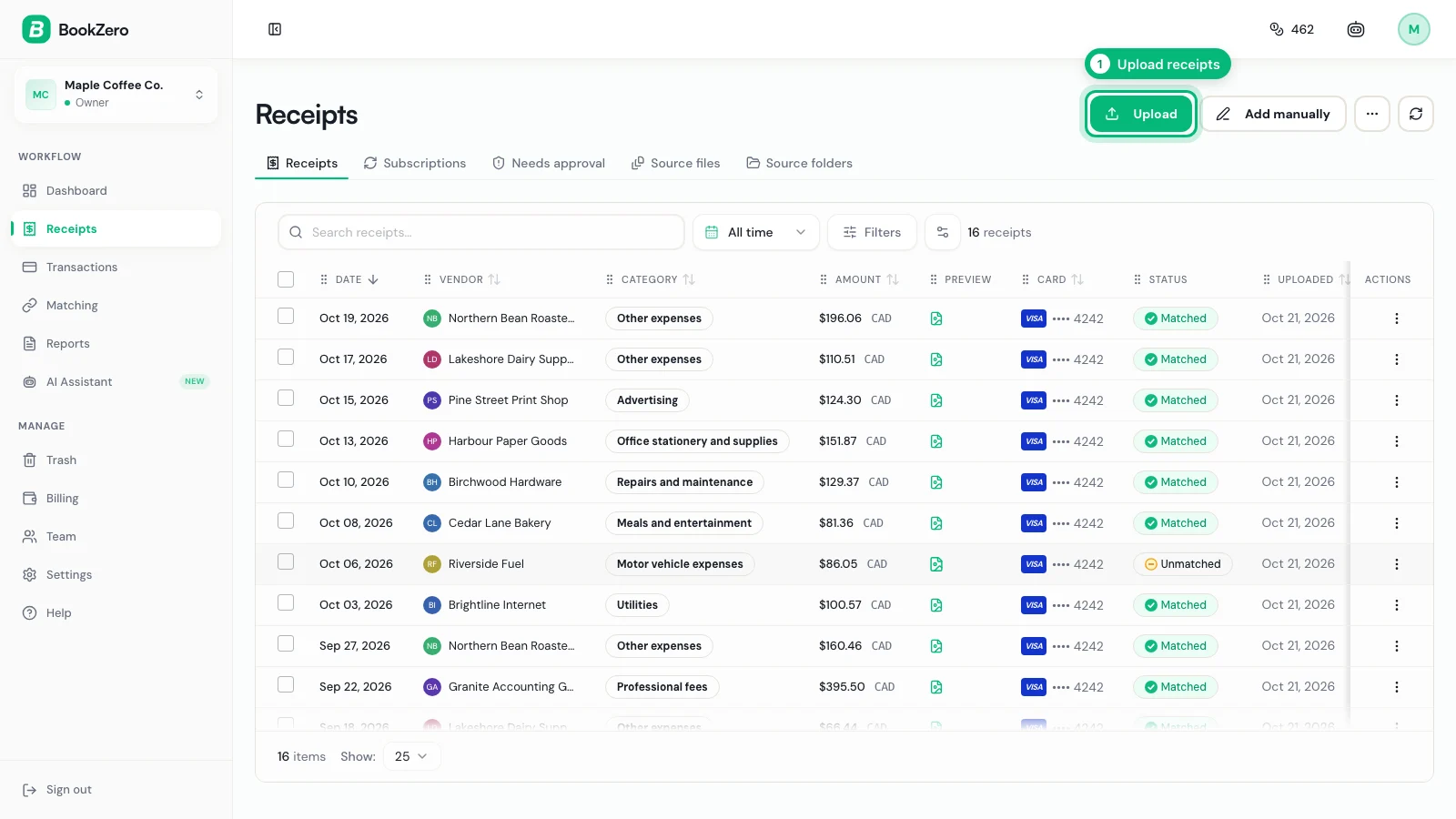
Upload your receipts
On Receipts, click Upload and drop in photos or PDFs.
- 2
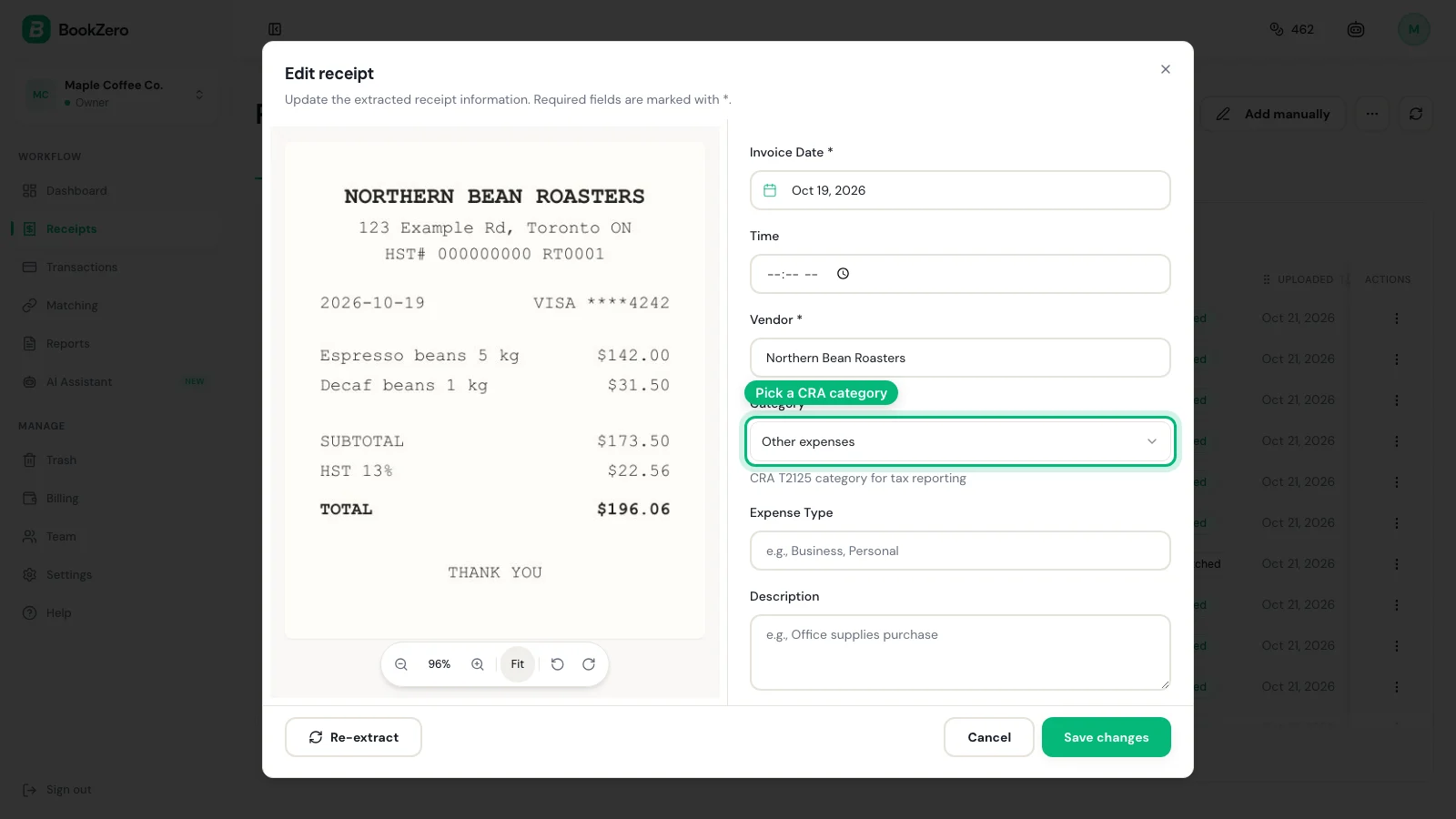
Check the category it picked
The AI reads the vendor, date, amount and tax and picks the CRA or IRS category. Change it if it is wrong.
- 3
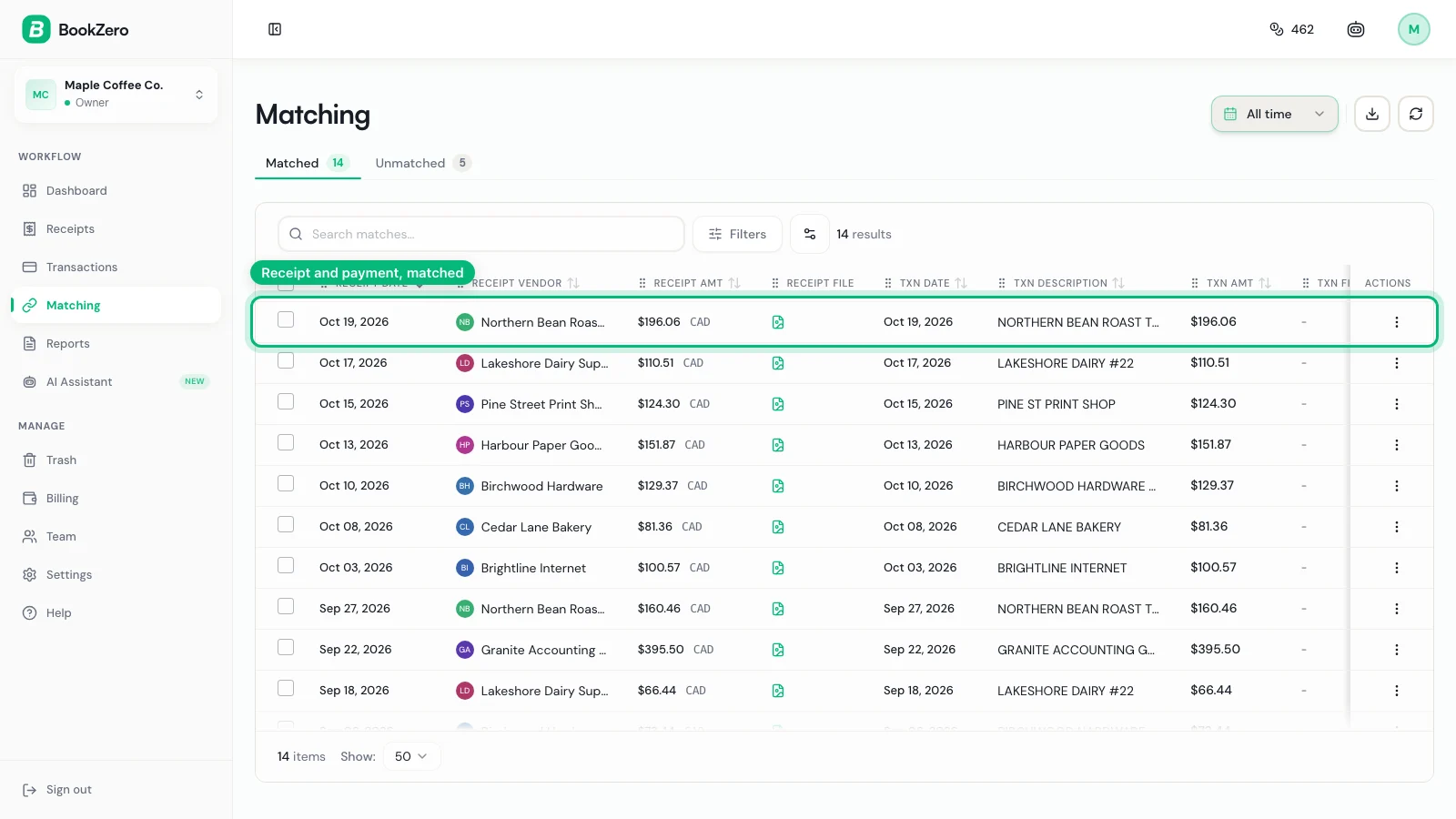
See it matched to the bank
Import your bank statement and Matching pairs each receipt with its transaction.
- 4
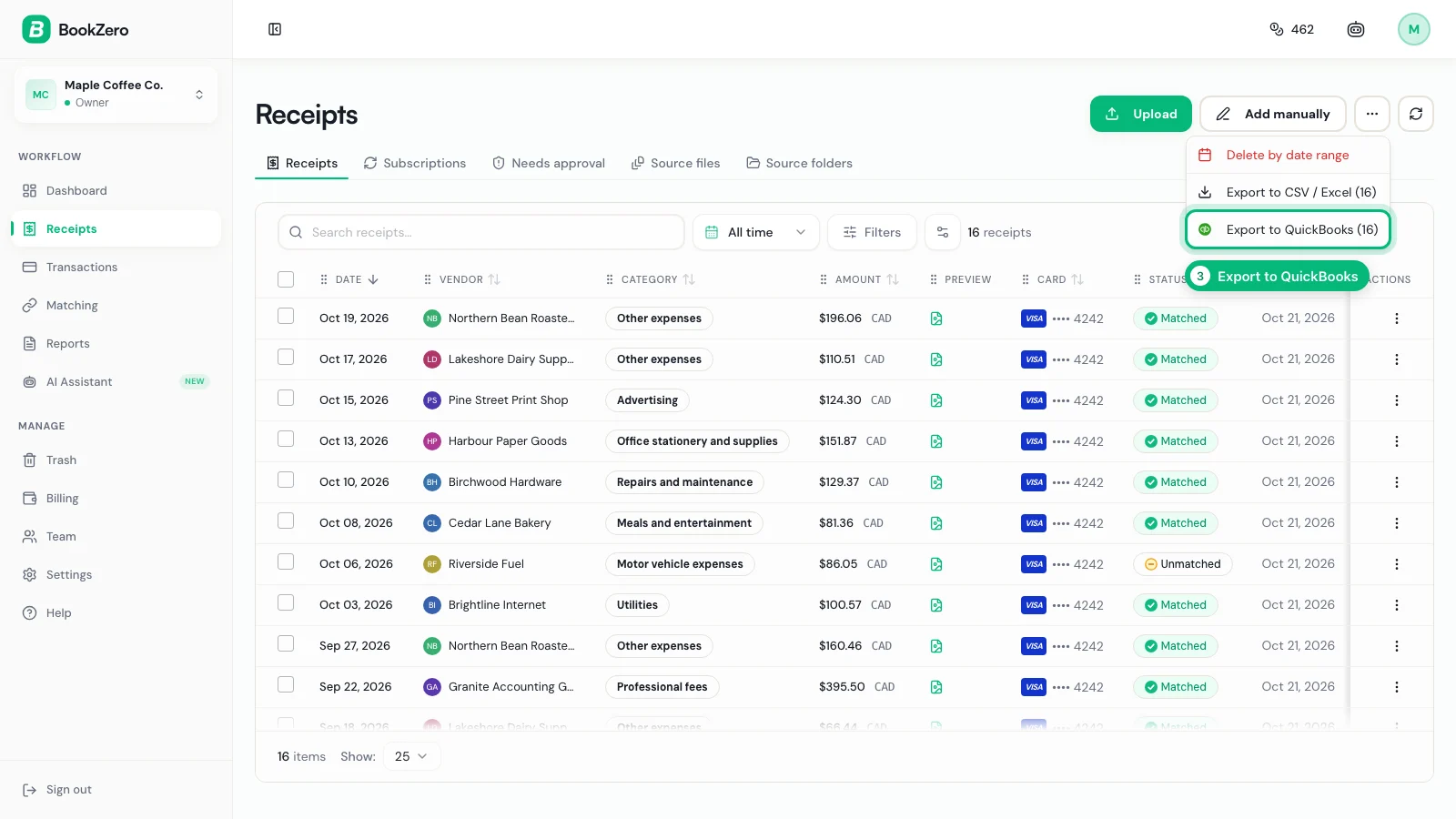
Send it to your books
On Receipts, open the ••• menu and export to QuickBooks or Xero.
Frequently asked questions
File your receipts without the busywork


Trusted by 200+ businesses