BookZero vs Expensify
Looking for an Expensify alternative? Compare BookZero for receipt-to-statement bookkeeping with Expensify for team expense workflows.
It's a tie
Consider BookZero when your main job is organizing your own receipts, matching them to imported statements, and preparing expense records. Evaluate Expensify closely when employee approvals and reimbursements are central to the workflow.
Try BookZero FreeFeature Comparison
| Feature |  | Expensify |
|---|---|---|
| Receipt workflow | ||
Receipt scanning | AI receipt scanning with review | SmartScan receipt scanning |
Typical workflow | Receipts, statement imports, matching, expense reports | Expense capture, submission, approval, reimbursement |
Accounting handoff Check supported integrations and plan requirements for your setup. | CSV/Excel exports; QuickBooks and Xero export workflows | Accounting integrations |
| Buying decision | ||
Evaluate first | Your receipt volume and monthly bookkeeping handoff | Your expense policies, approvers, and reimbursement needs |
Pricing Compare the plan needed for your workflow, including usage and team requirements. | See current plans and usage allowances | See current pricing and plan requirements |
Is BookZero a suitable Expensify alternative?
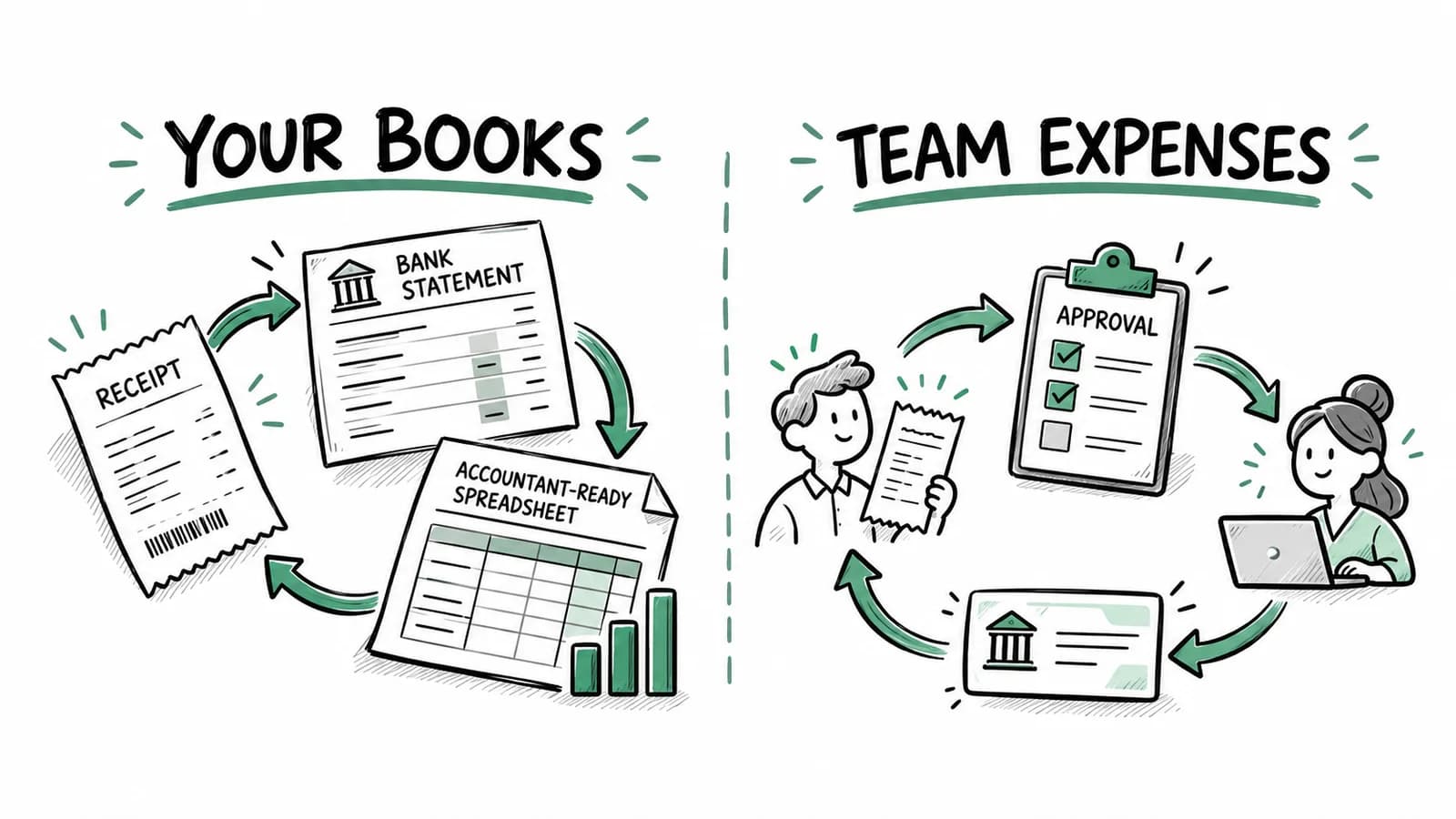
BookZero is worth considering if you work for yourself or run a small business and need to organize receipts, connect them to bank statement transactions, and prepare records for an accountant. It supports that monthly bookkeeping routine with receipt scanning, categorization, statement imports, and exports.
Expensify deserves a close look when employees submit expenses, managers approve them, and the business reimburses people. Its expense management overview describes scanning, approval workflows, reimbursements, and accounting integrations. It also serves individuals, so the choice should follow your actual workflow rather than team size alone.
This comparison focuses on the tasks each product should be tested against. We make BookZero, so the practical recommendation is to run the same small set of real records through the tools you are considering.
Where BookZero fits
Picture a self-employed consultant with paper receipts, subscription invoices, and a monthly credit card statement. The job at month-end is to find missing receipts, review categories, and pass a clear set of records to the accountant.
In BookZero, you can upload receipts, review the extracted fields, and import bank statements. Receipt-to-transaction matching helps connect the source documents to payments. Review those suggestions, especially if several charges share the same amount or a merchant uses an unfamiliar statement description.
BookZero supports Google Drive and Telegram imports for collecting documents. Its feature overview also covers CRA and IRS reports and QuickBooks and Xero export workflows. Transaction and receipt data can be exported as CSV or Excel, subject to plan access and limits.
That combination is useful when document collection and expense preparation are the unfinished parts of your bookkeeping. It does not replace every job in a general ledger, and receipt matching does not complete a full ledger balance reconciliation.
Where Expensify deserves priority
If your expense process begins with an employee spending personal money and ends with that employee being paid back, test the submission, approval, and reimbursement flow first. Decide who can approve an expense, what happens when it needs correction, and how your accounting system receives the result.
Expensify's documented team expense workflows are relevant to those requirements. A successful receipt scan is only one part of that decision. Put your actual approval structure through a trial, including an expense that a manager rejects or asks the employee to revise.
If reimbursements and policy approvals are essential, do not assume a receipt bookkeeping workflow will cover them. Confirm the exact capability and plan with the provider before moving your team.
Compare the accounting handoff
Ask your accountant where reviewed expenses should arrive. Some businesses want a monthly spreadsheet; others want a direct accounting integration. Test the destination you will actually use instead of judging a product by the number of integrations on a marketing page.
For BookZero, try an export containing a normal receipt, a refund, and a purchase that needs a business-use adjustment. Check the dates and amounts with your source documents. If you use QuickBooks or Xero, review the available export workflow and its setup requirements.
For Expensify, confirm the integration for your accounting platform and required plan. Check how approved expenses and reimbursement records will appear. Keep the handoff test small enough that you can verify each resulting entry.
A five-record trial before switching
Use a sample that contains the awkward parts of your normal month:
- A clear receipt with a tax breakdown.
- An invoice with a long vendor name or several line items.
- A refund related to an earlier purchase.
- A receipt whose total matches more than one card charge.
- A purchase containing both business and personal items.
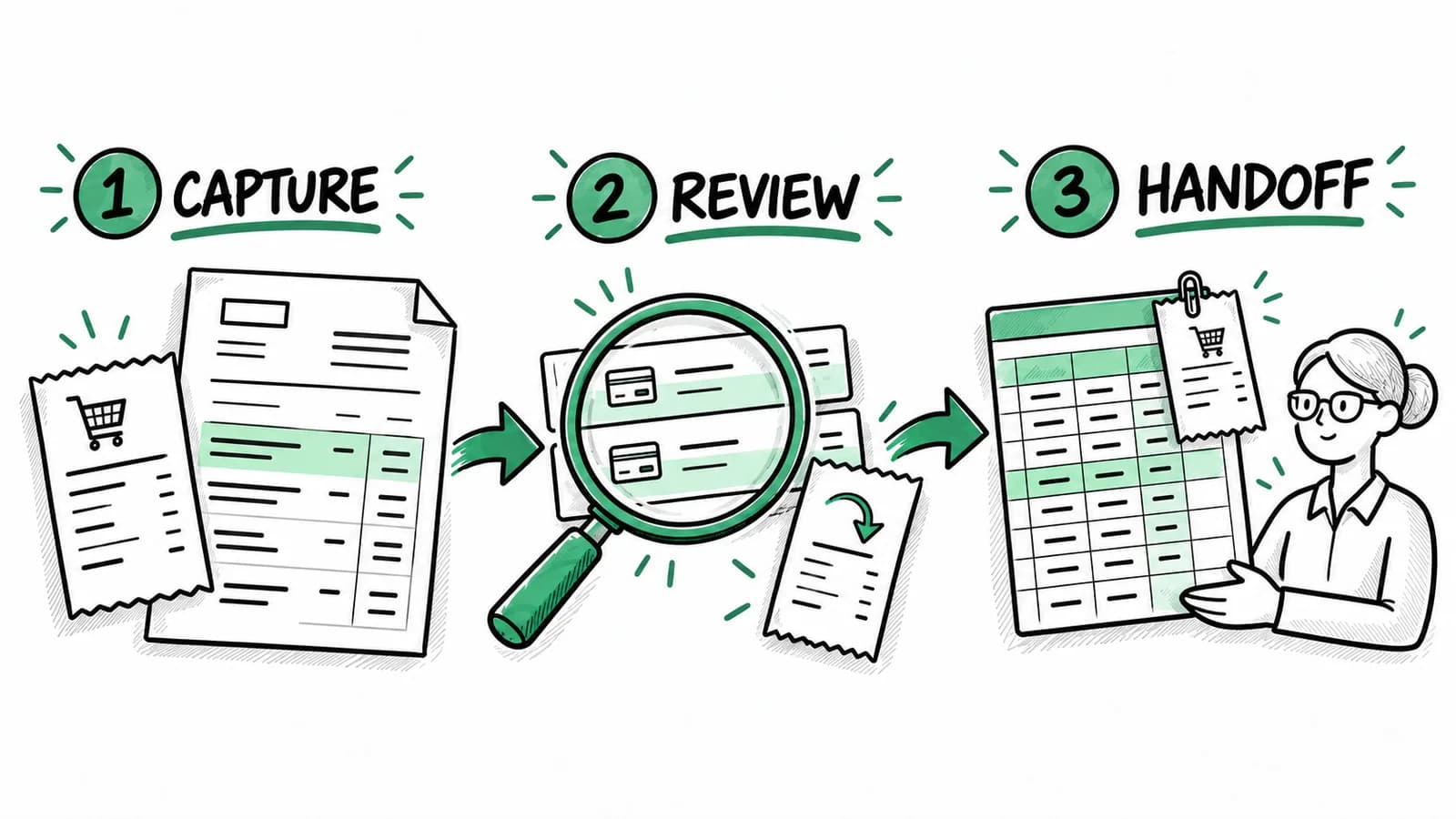
Review the extracted information and the source document. Try to retrieve each record later without opening your email. Export the result or send it to the accounting destination, then ask the recipient whether the records are usable.
If you already have records in another product, export and retain your historical documents before changing your process. Start with a new month and verify the handoff before migrating a backlog. Check for duplicates if the same document arrives through multiple import channels.
Compare current plans for your usage
Check BookZero's current plans and Expensify's current pricing. Compare what your workflow requires: monthly document volume, people submitting expenses, required integrations, and any plan conditions. A headline price alone cannot tell you whether the plan covers the job.
Also ask what you will need at year-end. Can you retrieve the source documents, export the records you need, and explain unresolved items to your accountant? Those questions matter even when you are happy with the daily capture experience.
Choose based on the next month of work
If your immediate problem is your own receipts and statement transactions, try BookZero's business expense tracking routine and digital receipt organization workflow. They describe the steps you can test before moving older records.
If your immediate problem is paying back employees and controlling who approves expenses, prioritize the team workflow in your evaluation of Expensify. Pick the tool that handles your required process, and confirm the remaining accounting steps with the person who maintains your books.


Stop wasting hours tracking down receipts.
BookZero organizes all your receipts for tax time — start free.


Trusted by 200+ businesses