Integration
Xero integration
BookZero scans your receipts and sends each one to Xero as a Spend Money transaction, receipt file attached.
- What it does
- Sends each receipt to Xero as a Spend Money transaction, receipt file attached.
- Plan
- Growth and up. Every plan has a 7-day free trial.
- Works with
- Xero, any region. Your first Xero organisation is the one connected.
How to set it up
- 1
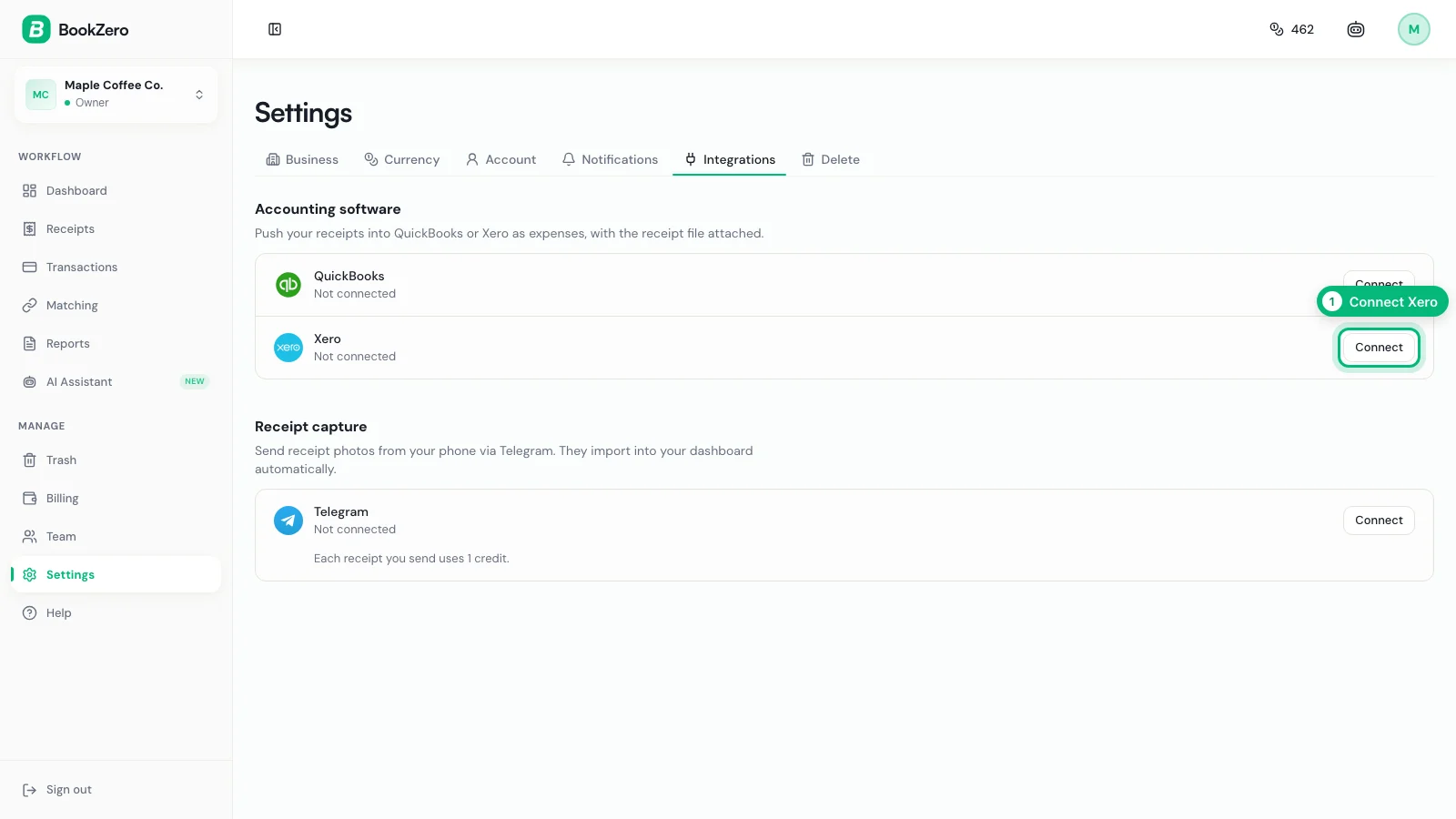
Click Connect on Xero
In Settings, open the Integrations tab and click Connect on the Xero row.
- 2
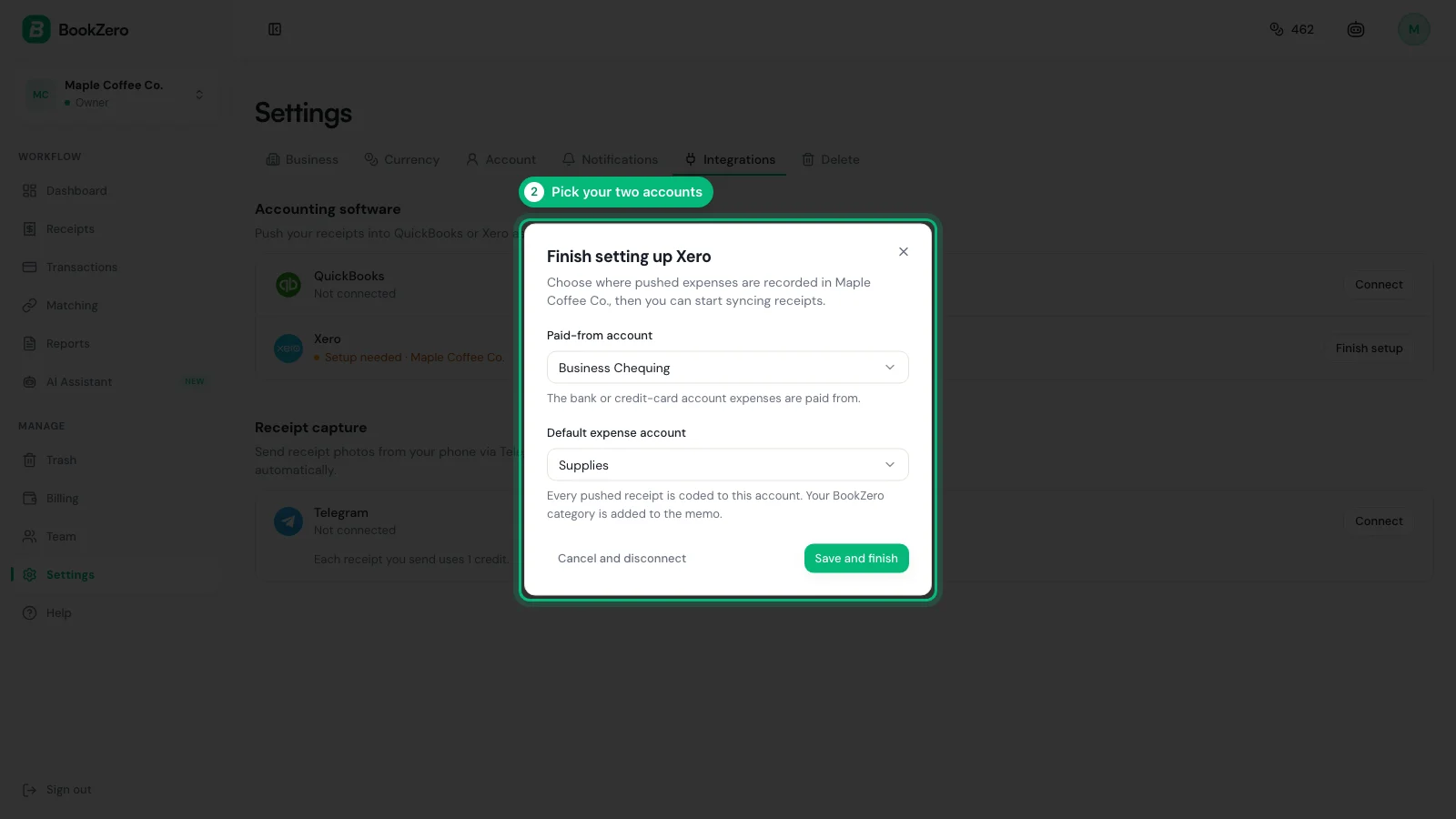
Sign in with Xero, then pick two accounts
Allow access on Xero’s page. Back in BookZero, choose the bank account receipts are paid from and the expense account.
- 3
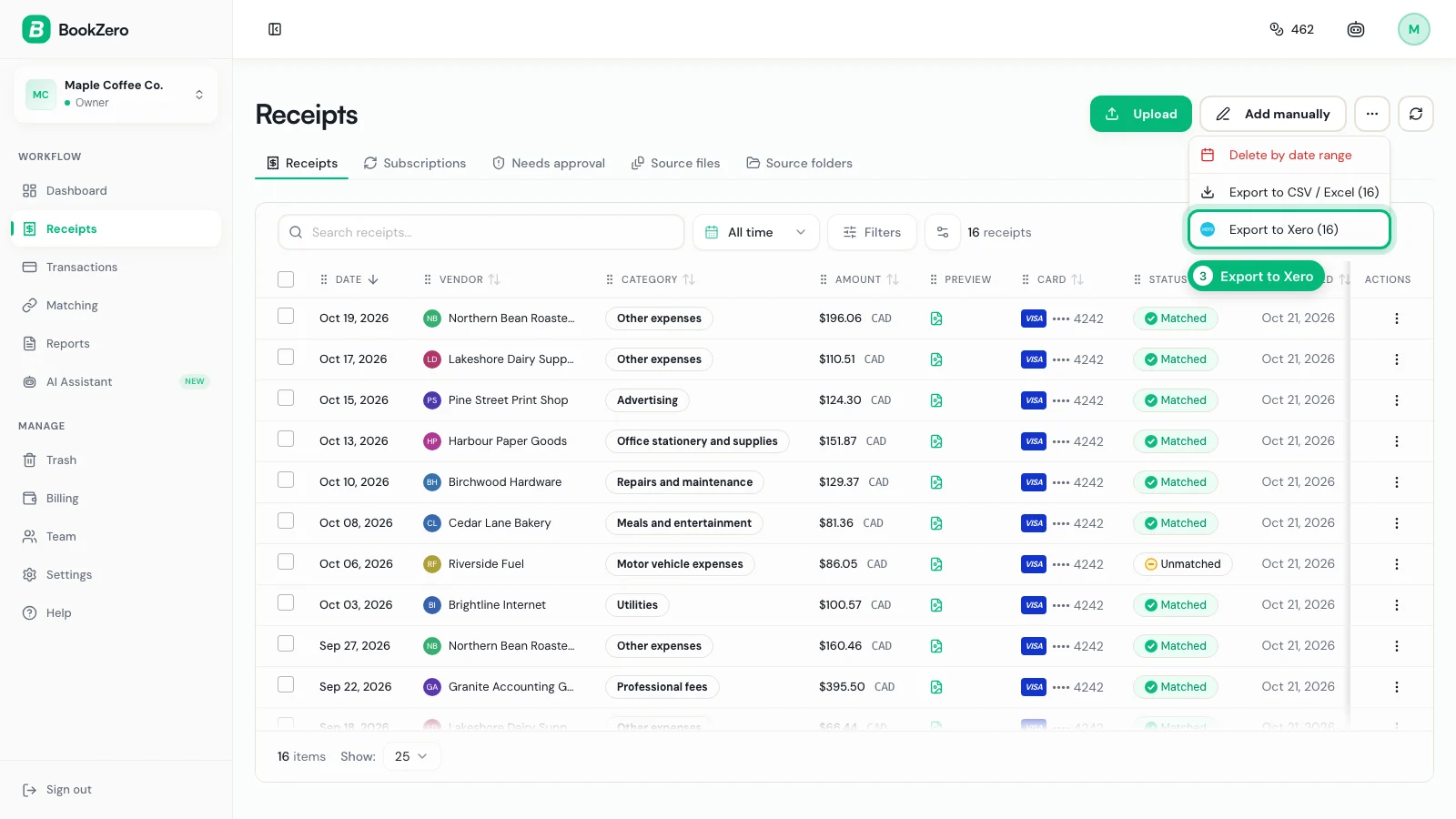
Export from Receipts
On Receipts, open the ••• menu and click Export to Xero. It sends the receipts you checked, or all of them.
- 4
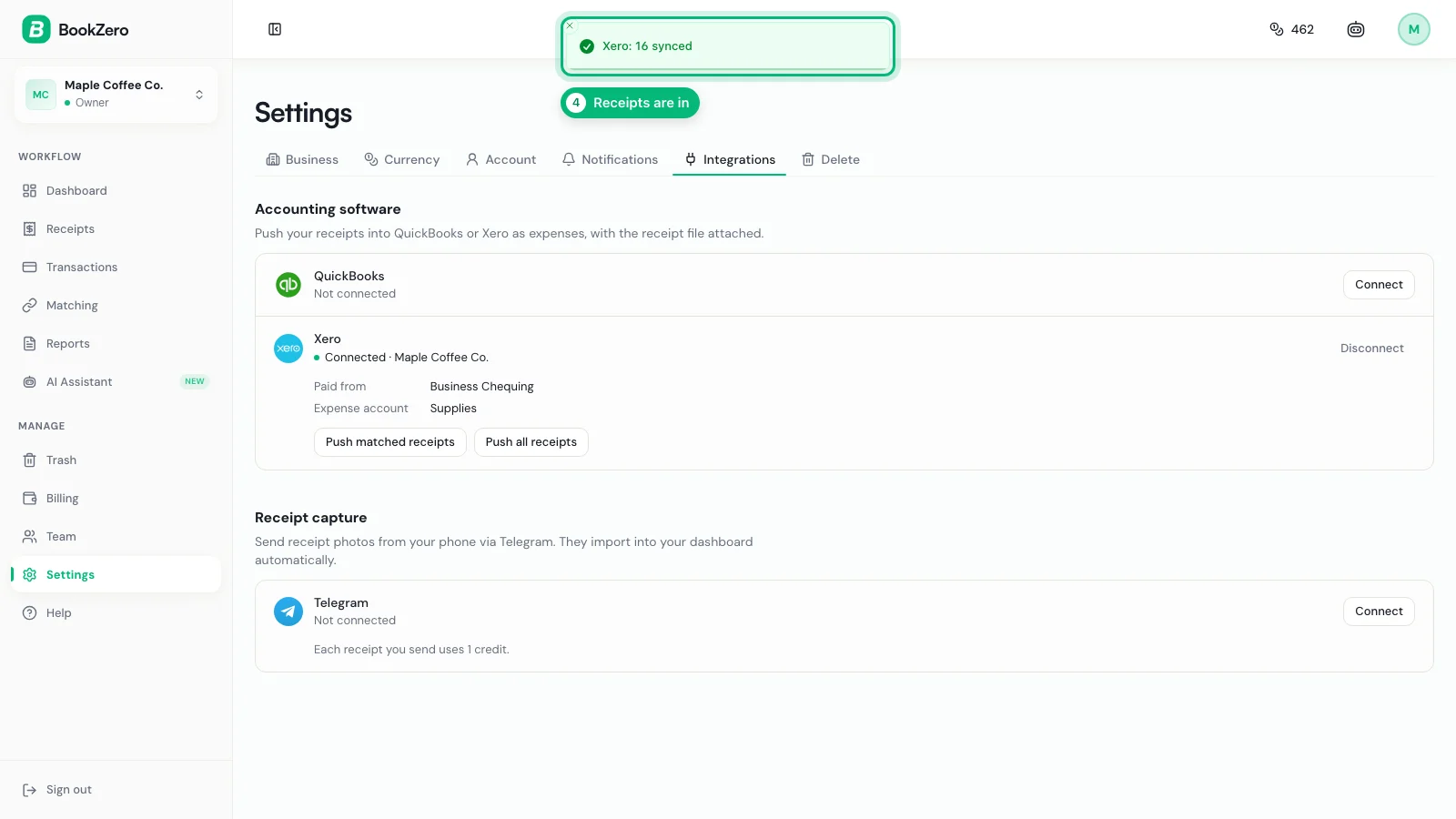
Your receipts are in Xero
A message says how many synced. A receipt already sent is skipped next time.
What lands in Xero
Receipt in BookZero
- Vendor
- Harbour Paper Goods
- Date
- Mar 12, 2026
- Total
- $134.40
- Category
- Office expenses
- File
- Receipt photo
Xero Spend Money transaction
- Contact
- Harbour Paper Goods
- Date
- Mar 12, 2026
- Amount
- $134.40, tax inclusive, one line
- Bank account
- The account you picked
- Account
- The expense account you picked
- Reference
- BookZero: Office expenses — Harbour Paper Goods
- Attachment
- Receipt image, private details blacked out
- Receipts only: bank transactions are not pushed, since Xero has its own bank feed.
- Receipts in another currency than your organisation’s are skipped.
Frequently asked questions
Stop typing receipts into Xero


Trusted by 200+ businesses
Xero is a trademark of Xero Limited. BookZero is an independent app and is not endorsed by Xero.